
Whether you’re an engineer tasked with designing a bridge or a scientist experimenting in a lab, you’re bound to face one common hurdle: unit conversions. In the world of science and engineering, precise measurements are paramount, and even a small misstep in unit conversions can lead to significant errors. That’s where unit conversion calculators come to the rescue.
With the digital age offering a variety of tools and resources, today’s professionals no longer need to fumble through conversion tables or recall obscure formulas from memory. Instead, unit conversion calculators streamline the process, saving valuable time and reducing the possibility of human error. But to truly harness their full potential, it’s essential to understand how they work and how to use them effectively.
Why Unit Conversion Matters in Engineering and Science
The fields of science and engineering rely heavily on standardization. From conducting experiments and making measurements, to preparing technical drawings or reports, precise unit use and conversion are essential. Here’s why:
- Accuracy: A minor discrepancy in units can lead to errors in calculations, which can ultimately disrupt entire projects.
- Cross-Disciplinary Communication: Often, professionals from various fields or countries need to share data. Speaking a “common language” of units ensures nothing is lost in translation.
- Compliance and Safety: Regulatory and safety standards often mandate the use of specific units. Failing to comply can compromise safety or result in legal consequences.
What is a Unit Conversion Calculator?
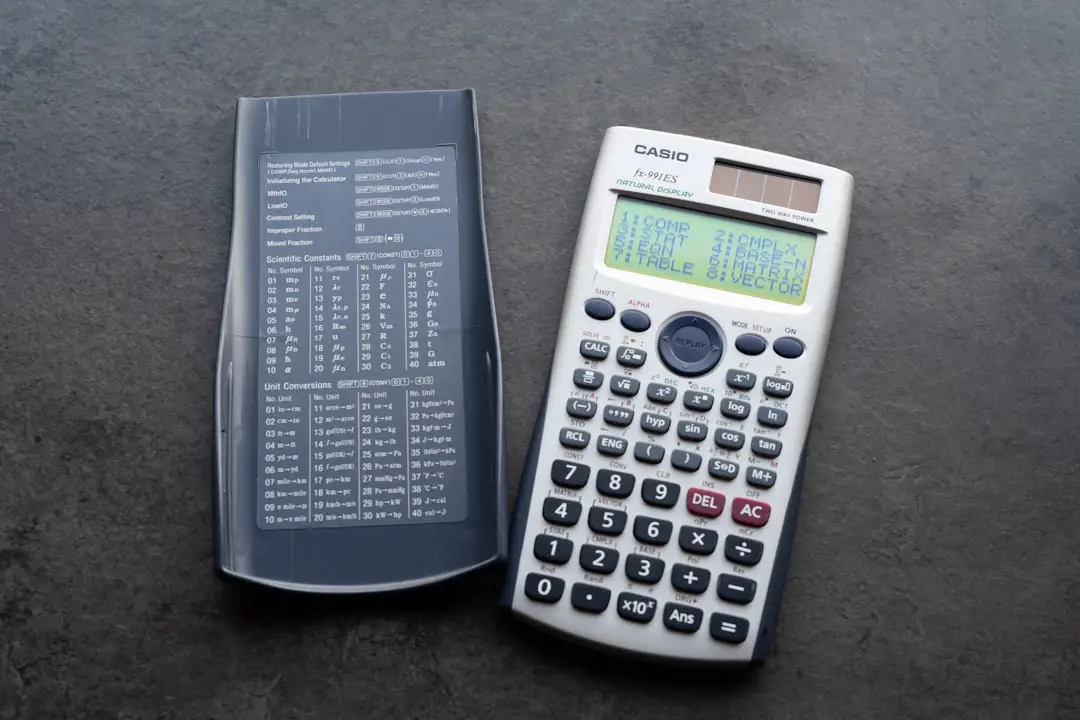
A unit conversion calculator is a digital tool designed to convert measurements from one unit to another. These tools support a wide array of unit categories such as length, mass, temperature, energy, force, and pressure, making them invaluable for engineers and scientists alike.
These calculators come in various forms:
- Web-based tools: Easily accessible through browsers and highly versatile.
- Mobile applications: Great for fieldwork and on-the-go needs.
- Integrated software: Many specialized engineering and scientific software suites include built-in unit converters.
Key Features to Look for in a Conversion Calculator
Not all calculators are created equal. Here are the most useful features to seek in a quality unit conversion calculator:
- Wide Range of Units: The more categories supported, the more versatile the tool. Look for calculators that can handle exotic or domain-specific units.
- Custom Unit Capabilities: Some advanced calculators allow users to define and save custom units based on specific project requirements.
- Error Checking: Smart calculators can warn you if you’re attempting an illogical conversion, such as from meters to kilograms.
- Offline Access: In remote locations or labs with limited internet connectivity, offline functionality is a plus.

Common Scientific and Engineering Unit Conversions
Some conversions are so frequently used in science and engineering that it’s good to be familiar with them or have quick access through a calculator. Here are a few examples:
- Length: Meters to feet, inches to centimeters, kilometers to miles
- Mass: Kilograms to pounds, grams to ounces
- Volume: Liters to gallons, cubic meters to cubic feet
- Temperature: Celsius to Fahrenheit, Kelvin to Celsius
- Energy: Joules to calories, kilowatt-hours to BTU
- Pressure: Pascals to PSI, bar to atmospheres
- Force: Newtons to pounds-force
Instead of manually computing these conversions using formulas or lookup tables, specialized calculators allow instant, reliable translation between units with minimal effort. This is especially helpful when dealing with complex equations and large datasets.
How to Use a Unit Conversion Calculator Effectively
Mastering the use of a unit conversion calculator goes beyond simply typing numbers. Here’s a step-by-step guide to ensure you’re getting accurate results:
- Select the Category: Choose whether you’re converting length, mass, pressure, temperature, etc.
- Input the Value: Type in the numerical value you wish to convert.
- Choose the Input Unit: Select the current unit associated with your value.
- Select the Output Unit: Choose the desired unit you want the value converted into.
- Review and Confirm: Most tools will display the result automatically. Double-check that all units were correctly selected before using the result.
Some calculators also offer unit chaining, where you can convert in stages — for example, converting inches to meters and then to kilometers. This can be helpful for verifying results or adjusting values across scales.
Integrations with Engineering Design Tools and Scientific Software
Many top-tier engineering software platforms such as AutoCAD, SolidWorks, MATLAB, and LabVIEW incorporate built-in unit converters. This allows users to perform live unit conversions as they design, simulate, or analyze data, boosting productivity.
Furthermore, programming environments like Python or MATLAB allow for script-based unit conversions using libraries and toolboxes. This is particularly powerful for automating large-scale simulations and experiments.
Tips for Avoiding Conversion Mistakes
Even with high-quality tools at your disposal, it’s essential to remain vigilant. Here are some tips to help you avoid common pitfalls:
- Double-Check the Units: Always verify the input and output units before using the results in calculations or design work.
- Use Consistent Unit Systems: As much as possible, stick to a single system (SI or imperial) within a given project to minimize confusion.
- Beware of Unit Ambiguities: Units like “ton” or “gallon” can have different meanings in different regions (e.g., US vs UK).
- Account for Significant Figures: Keep your conversions precise by understanding how many significant figures are required for your application.
Free vs. Paid Conversion Calculators
There are a wide range of tools available on the market – some free, others paid. Free calculators such as UnitConverters.net and OnlineConversion.com offer broad functionality for everyday use. On the other hand, paid platforms or integrated software solutions may offer advanced features such as unit libraries, batch conversions, database integration, and error propagation analysis.
Choosing between the two depends on project requirements, budget, and the complexity of the operations involved.
The Future of Unit Conversion Technology
With advancements in artificial intelligence and machine learning, unit conversion tools are becoming even smarter. Imagine tools that can automatically detect incorrect units in your input data, or that provide context-based suggestions based on the type of engineering project you’re working on.
Additionally, augmented reality and voice-activated tools are beginning to surface, allowing hands-free conversions during field inspections or laboratory work.
As more industries embrace digital transformation, expect to see unit conversion become smarter, faster, and more deeply embedded into scientific workflows.
Conclusion
Unit conversion calculators are more than just digital slide rules — they are vital tools that bolster accuracy, efficiency, and communication in engineering and science. Whether you’re conducting experiments, designing machinery, or analyzing structural loads, these calculators help ensure your calculations speak the right numerical language every time.
By understanding how to choose and use the right tool, and by practicing careful verification, professionals can avoid costly errors and focus on the core challenges of their work. So go ahead — make friends with a unit conversion calculator, and let it shoulder some of the heavy lifting in your scientific adventures.