
Use a proxy when you need controlled routing, identity separation, filtering, caching, or access management between a client and the wider internet. A proxy is not magic privacy dust. It is an infrastructure tool that can improve security, reliability, and control when configured correctly. A reverse proxy, for example, can sit in front of web servers and handle requests before they reach the origin server [source: Cloudflare].
TLDR: A proxy service routes traffic through an intermediate server, masking the original client from the destination or protecting an origin server from direct exposure. Common types include HTTP proxies, SOCKS5 proxies, residential proxies, datacenter proxies, and reverse proxies. For example, an e-commerce analytics team tracking prices across 12 regions may use rotating residential proxies to reduce blocked requests from 38% to under 8% during daily checks. The right choice depends on speed, trust level, target sites, compliance needs, and budget.
What a Proxy Service Actually Does
A proxy receives a request from a client, forwards it to another server, then returns the response. That sounds simple. The value comes from where the proxy sits and how it handles traffic.
For a user, a proxy may hide the user’s IP address from a website. For a company, it may filter employee traffic, log access, or block risky domains. For a web application, a reverse proxy may distribute traffic, terminate TLS, compress responses, and cache assets.
The catch is that proxies add another moving part. A bad provider can slow every request by 800 milliseconds or more. A careless setup can leak DNS requests, break logins, or trigger anti-abuse systems.
Main Types of Proxy Services
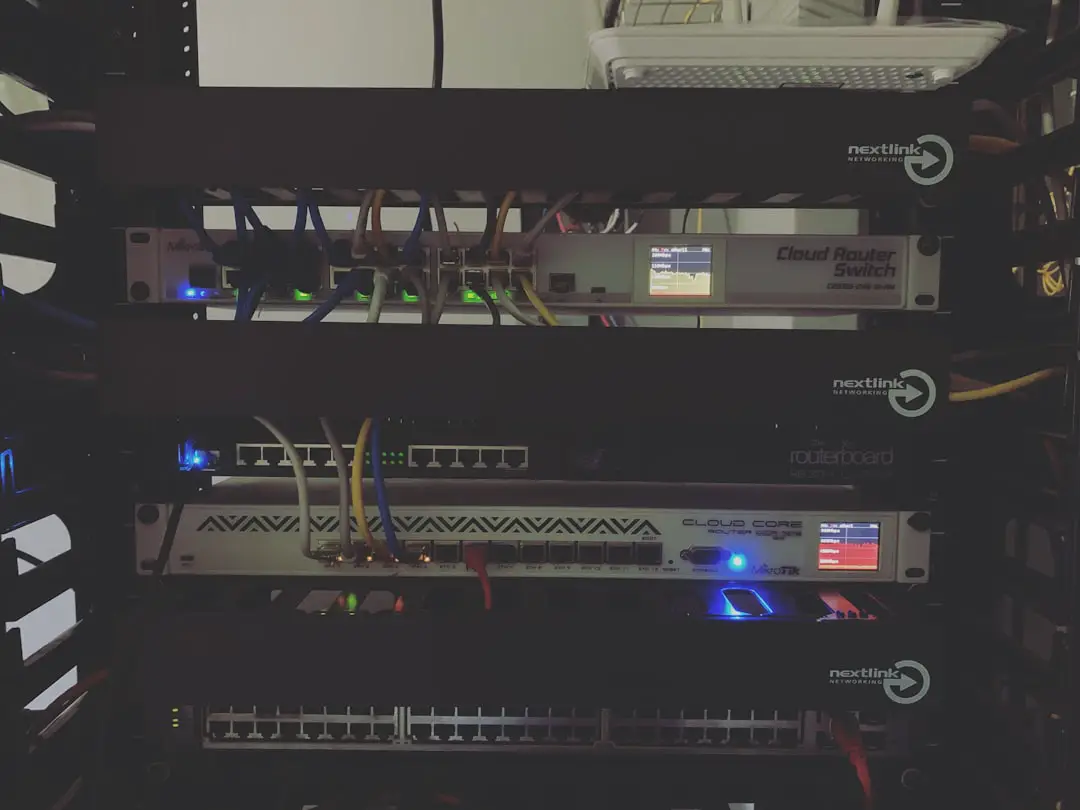
- Forward proxy: Used by clients to reach the internet. It sits between an internal user and external websites. Companies often use it for monitoring, filtering, and policy control.
- Reverse proxy: Used by servers to handle requests from users. It protects the origin server and can manage caching, load balancing, TLS certificates, and rate limits.
- HTTP proxy: Built for web traffic. It works well for browsing, scraping public web pages, testing ads, and filtering URLs.
- HTTPS proxy: Handles encrypted web traffic. Depending on setup, it may tunnel traffic using the CONNECT method or inspect it through approved enterprise certificates.
- SOCKS5 proxy: More flexible than HTTP. It can carry many traffic types, including web, email, peer connections, and custom application traffic.
- Transparent proxy: Traffic passes through it without manual user configuration. Schools, offices, and ISPs may use it for filtering or caching.
Residential, Datacenter, and Mobile Proxies
Proxy quality often depends on the source of the IP address. This is where buyers waste money fast.
- Datacenter proxies: These come from cloud or hosting networks. They are fast, cheap, and easy to scale. They are also easier for websites to detect because many share known hosting ranges.
- Residential proxies: These use IP addresses assigned by internet service providers to real homes. They look more like normal user traffic. They usually cost more and require stricter ethical sourcing.
- Mobile proxies: These use mobile carrier networks. They are useful for mobile app testing, ad verification, and location checks. They can be expensive, and performance may vary by carrier load.
Honestly, it feels like every proxy vendor claims “clean IPs.” That phrase means little without proof. Ask about consent, sourcing, uptime, replacement rules, ASN diversity, country coverage, and refund terms.
Static vs Rotating Proxies
Static proxies keep the same IP address for long sessions. They work well for account management, admin panels, QA testing, and tools that dislike sudden IP changes.
Rotating proxies change IP addresses on a schedule or per request. They are useful for public data collection, search result monitoring, fraud testing, and large-scale availability checks.
A common mistake is rotating too often. If a user logs in from Berlin, then five seconds later from São Paulo, risk systems will notice. For authenticated sessions, sticky IPs are safer. For public pages, rotation can reduce rate limits.
Common Configuration Methods
Proxy configuration depends on the application. Some tools make it easy. Others bury settings three menus deep, which is irritating when you only need to test one endpoint.
- Browser settings: Chrome, Firefox, and Edge can route traffic through a proxy. Firefox is handy because it has its own proxy settings separate from the operating system.
- Operating system settings: Windows, macOS, and Linux can apply proxy rules system-wide. This helps with managed workstations.
- Application settings: Crawlers, API clients, testing tools, and security scanners often accept proxy host, port, username, and password.
- Environment variables: Developers often use
HTTP_PROXY,HTTPS_PROXY, andNO_PROXYfor command-line tools and server apps. - PAC files: Proxy Auto-Configuration files define when traffic should use a proxy and when it should go direct.
- Gateway setup: Network teams can route traffic through a proxy at the firewall, router, or secure web gateway level.
Authentication and Access Control
Most paid proxy services use one of two access models:
- Username and password: Simple and portable. It works across most tools.
- IP allowlisting: Only approved source IP addresses can use the proxy. This reduces credential theft risk but is less convenient for remote teams.
Better setups also include role-based access, traffic caps, audit logs, and per-project credentials. This matters. If one scraping job burns through 400 GB overnight, you need to know which key did it.
Security Benefits and Risks
Proxies can improve security, but they can also create risk. A proxy may hide internal addresses, block known malicious domains, inspect traffic, or enforce data loss controls. Enterprise secure web gateways are often built around these ideas.
Still, do not send sensitive traffic through an unknown proxy. The proxy operator may see metadata, destination domains, request timing, and sometimes full content if TLS inspection is used. For regulated data, review contracts, logging practices, retention rules, and jurisdiction.
For extra protection, pair proxies with strong TLS, MFA, endpoint controls, and least-privilege access. A proxy should support security policy. It should not be the only defense.
Business Use Cases
- Web scraping of public data: Teams collect prices, reviews, stock status, or search results. Proxies help distribute requests and test regional content. Always respect robots.txt, site terms, and privacy laws.
- Ad verification: Brands check whether ads appear in the right country, on the right publisher, and without fraud.
- Market research: Analysts compare localized offers, hotel rates, shipping fees, and competitor catalogs.
- Cybersecurity testing: Security teams route scanner traffic, test blocklists, and inspect outbound connections.
- Content delivery: Reverse proxies cache static files and reduce load on origin servers.
- Access control: Businesses enforce acceptable use policies and block risky categories.
Performance Metrics to Watch
Do not judge a proxy service by advertised pool size alone. Measure it.
- Success rate: Percentage of requests that return usable responses.
- Median latency: More useful than average latency because outliers distort results.
- Timeout rate: Shows stability under load.
- Geo accuracy: Confirms whether the claimed city or country is correct.
- IP freshness: Tracks whether addresses are overused or frequently blocked.
- Cost per successful request: The only number finance will care about.

How to Choose the Right Proxy
Pick based on the job. Use datacenter proxies when speed and cost matter most. Use residential proxies when regional realism matters. Use mobile proxies for mobile app flows, carrier testing, and ad checks. Use a reverse proxy when protecting or scaling your own application.
Ask vendors direct questions:
- How are IPs sourced?
- Can you prove user consent for residential and mobile pools?
- What is the average success rate by country?
- Do you support sticky sessions?
- What logs are stored, and for how long?
- Can usage be split by team, project, or API key?
A proxy service is serious infrastructure. Treat it that way. Test with a small workload first. Compare results over several days, not one clean demo. The best proxy is not the biggest pool or the cheapest plan. It is the one that gives stable routing, clear controls, lawful sourcing, and predictable results.