

Figma is the stronger choice for most collaborative UI and product design teams, while Adobe XD now fits best for legacy workflows already built around Adobe files. The reason is simple: Figma was built around browser-based teamwork, shared files, comments, design systems, and handoff in one place. Adobe XD can still support wireframes, prototypes, and Creative Cloud users, but its stalled product direction makes it a harder recommendation for new product teams.
TLDR: Figma wins for real-time collaboration, design systems, developer handoff, and cross-functional product work. Adobe XD can still work for teams with older XD files or heavy Adobe Creative Cloud habits, but it no longer feels like the safer long-term bet. For example, a 6-person product squad can edit one Figma checkout prototype at the same time, track 30 comments, and hand off specs without exporting files back and forth. That can cut review cycles from three meetings to one shared async pass.
Figma vs Adobe XD: the practical difference
Figma and Adobe XD both help designers create app screens, website layouts, prototypes, and interface flows. On paper, they sound similar. In daily use, they feel very different.
Figma is cloud-first. Files live online, open in a browser, and support live multiplayer editing. Product managers, engineers, copywriters, researchers, and designers can all inspect the same source of truth. That matters when a button label changes ten minutes before a release review.
Adobe XD is desktop-first with cloud sharing added on. It offers familiar interface design tools and works well with Photoshop and Illustrator assets. Still, its collaboration model feels less central. The bigger issue is product confidence. Adobe placed XD into maintenance mode after its failed attempt to buy Figma, which makes new adoption feel risky.

Collaboration: Figma has the clear edge
Figma’s best feature is not one tool. It is the way people work inside the same file. Multiple editors can move frames, rename layers, add comments, adjust components, and review prototypes together. Stakeholders do not need a special desktop app just to leave feedback.
That sounds small until a team hits version chaos. Honestly, it feels like Adobe XD can punish teams that rely on file passing, shared links, and exported specs. One designer may update a modal. Another may still be reviewing yesterday’s link. A developer may be checking an older artboard. Expect to waste time sorting out which version is real.
Figma reduces that friction. Its comments stay attached to the design. Its version history helps teams recover older work. Its share links are simple. Its browser access also helps mixed teams using macOS, Windows, Chromebooks, or locked-down company machines.
Design systems and components
For product design at scale, reusable components matter. Buttons, inputs, cards, icons, spacing tokens, colors, and typography rules need to stay consistent across many screens.
Figma is especially strong here. Teams can publish libraries, use component variants, define variables, and keep shared styles in sync. A design system team can update a primary button once, then roll that update across products. Designers can still detach or override when needed, but the default path supports consistency.
Adobe XD supports components and Creative Cloud Libraries, which can work well for visual assets and brand kits. Yet Figma’s component model feels more mature for product operations. Variants, interactive components, and variables make it easier to manage states like hover, pressed, disabled, error, and loading without creating messy duplicate screens.
- Figma: better for scalable UI libraries, tokens, and shared product systems.
- Adobe XD: useful for Adobe asset workflows and smaller interface kits.
- Best fit: Figma for multi-product teams with recurring UI patterns.
Prototyping and user flows
Both tools support clickable prototypes. Designers can connect screens, create overlays, add transitions, and test flows before engineering starts. For simple app journeys, both can do the job.
Figma’s prototyping has improved a lot. Interactive components help reduce screen clutter. Variables can simulate more advanced interface behavior. Designers can show dropdowns, toggles, tabs, forms, and conditional states with less duplication than before.
Adobe XD still has strengths in micro-interaction workflows. Auto-Animate can produce smooth transitions with little effort. For motion-heavy mockups, some designers still like XD’s feel. The problem is less about capability and more about future support. Teams rarely want to build a research and prototyping process around a tool with uncertain growth.
Developer handoff
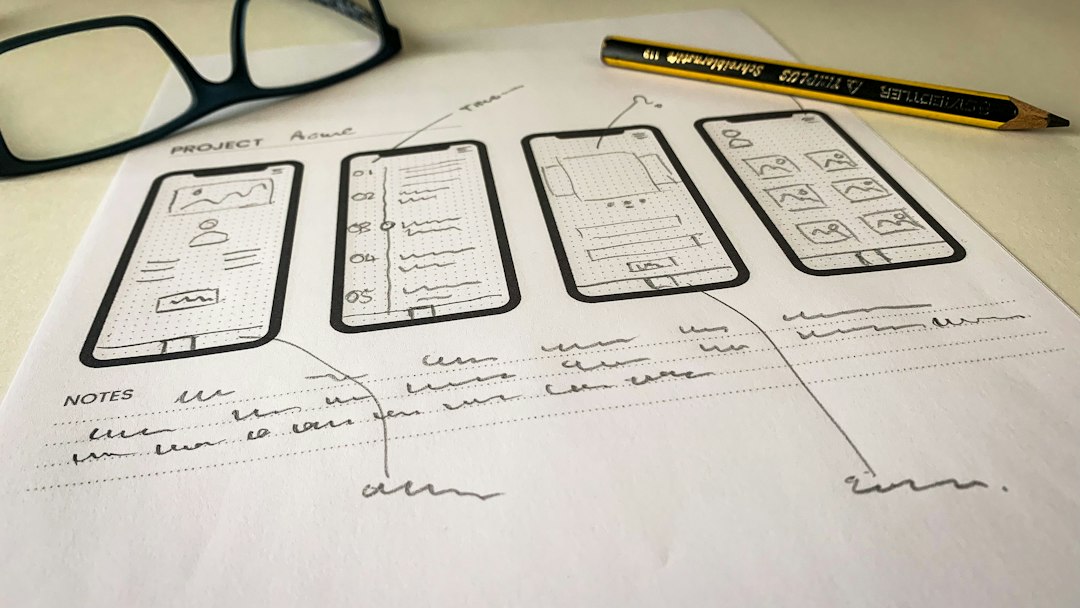
Developer handoff is where small delays get expensive. Engineers need spacing, colors, font sizes, exportable assets, component states, and interaction notes. If those details are buried in screenshots, rework follows.
Figma gives developers inspect access through shared files. Engineers can click elements, read measurements, copy CSS-like values, export assets, and view comments. Dev Mode adds a more focused handoff layer for engineering teams. It helps separate design editing from implementation review.
Adobe XD offers design specs and asset export, and it can work for basic handoff. Yet Figma has become the common meeting point for design and engineering. Many developer tools, issue trackers, documentation platforms, and plugins already expect Figma links as part of the workflow.
Performance, files, and daily annoyances
Figma is not perfect. Large files can slow down. Complex design systems may become heavy. Browser memory can spike. It drives some teams crazy that a messy file with hundreds of hidden frames can feel sluggish during a client review.
Still, Figma has strong file organization options. Teams can split libraries, archive old flows, use branches on higher-tier plans, and create sections for clearer reviews. The biggest performance gains often come from file hygiene, not tool switching.
Adobe XD can feel quick for local work. Opening a single desktop file may be fast. But collaboration adds friction when teams need everyone aligned. Local speed matters less if the team spends eight extra minutes hunting for the latest shared link.
Pricing and access
Figma offers a free entry point, then paid plans for professional teams, organizations, and enterprise needs. The exact cost depends on seats and features. The key benefit is that viewers are easy to add, which helps product managers, executives, and engineers review work without becoming full editors.
Adobe XD’s access is more complicated because it is no longer promoted as a core growth product in the same way. Some existing Creative Cloud customers may still have access, but new teams should check availability before making plans around it.
Which teams should choose Figma?
Figma is the better fit for most of these groups:
- Product teams that need designers, engineers, and managers in one file.
- Startups that want fast sharing without heavy software setup.
- Enterprise teams that need design systems, permissions, libraries, and audit-friendly workflows.
- Remote teams that review work across time zones.
- Agencies that need quick stakeholder feedback and clean prototype links.
When Adobe XD still makes sense
Adobe XD is not useless. It can still be reasonable when a team already owns a large archive of XD files, depends on Photoshop or Illustrator assets, and does not need heavy real-time collaboration. A solo designer may also prefer its local desktop feel for quick concepts.
But for a new UI or product design workflow, XD is hard to defend. Tool direction matters. Hiring matters too. More designers now expect Figma experience. More teams ask for Figma files. More design systems are built there from the start.
Final verdict
Figma is the safer and stronger platform for collaborative UI and product design. It handles real-time editing, design systems, prototyping, comments, and handoff with fewer barriers. Adobe XD remains useful for older Adobe-centered workflows, but it is no longer the strongest choice for teams starting fresh.
For most teams, the decision should be practical. If collaboration, speed, hiring, design systems, and developer handoff matter, Figma should be the default. If the team only needs to maintain existing XD files, Adobe XD can stay in the toolbox until migration makes sense.
FAQ
Is Figma better than Adobe XD for collaboration?
Yes. Figma is better for live collaboration because multiple people can edit, comment, inspect, and review the same file in real time through the browser.
Is Adobe XD still worth using?
Adobe XD can still be worth using for legacy files, solo design work, or Adobe-heavy asset workflows. It is less appealing for new product design systems due to limited product momentum.
Which tool is better for design systems?
Figma is stronger for design systems. Its components, variants, variables, shared libraries, and permissions support larger teams and more complex UI patterns.
Can developers use Figma for handoff?
Yes. Developers can inspect spacing, colors, typography, assets, and interaction notes in Figma. Dev Mode also gives engineering teams a cleaner view of implementation details.
Should a team migrate from Adobe XD to Figma?
A team should consider migration if it needs better collaboration, shared libraries, easier stakeholder review, or stronger hiring alignment. For a small archive of inactive XD files, migration can wait.