
Tokens Studio is the best pick for serious design tokens, while Zeplin is best for clean developer handoff, and Anima is strongest when teams want design to code output from Figma. Figma’s own Dev Mode already gives developers measurements, assets, and style details inside the file, so these plugins need to solve sharper problems than basic inspection [source: Figma].
TLDR: Teams that care most about token systems should start with Tokens Studio. Teams that want fewer handoff questions should choose Zeplin. Teams trying to turn screens into front end code faster should test Anima. For example, a product team with 250 color, spacing, and typography tokens across 3 platforms will usually save more time with Tokens Studio than with a pure handoff tool.
Best overall for design tokens: Tokens Studio
Tokens Studio is built for teams that treat tokens as a source of truth, not as a nice label on a color style. It handles colors, typography, spacing, radii, shadows, and themes. That makes it useful for design systems with light mode, dark mode, brand themes, and multi-platform output.
The plugin can connect token work to JSON-based workflows. This matters because developers usually do not want a screenshot of a button. They want values they can use. A token like color background primary is easier to maintain than a random hex value copied from a layer.
Where Tokens Studio shines:
- Token management: Strong support for semantic tokens and theme sets.
- Design system work: Good for teams with many components and brands.
- Developer alignment: Tokens can map closer to code than native Figma styles.
- Scalability: Better than manual style naming once systems grow.
The catch is that Tokens Studio can feel heavy at first. A designer who only needs to hand off three landing pages may spend more time setting up token groups than doing useful work. Expect some messy moments while naming tokens and agreeing on structure. That pain is real, but it usually pays off for larger teams.
Best for visual developer handoff: Zeplin
Zeplin is still a strong choice when engineers want a clean place to inspect screens, specs, flows, assets, and style guides. It is less about creating tokens inside Figma and more about giving development teams a well-organized workspace after design is ready.
Zeplin works well for teams that already have design files but struggle with scattered comments, unclear screen states, and “which version is final?” confusion. It packages designs in a way that many developers find easier to read than a busy Figma file with frames all over the place.
Where Zeplin shines:
- Handoff clarity: Specs, assets, notes, and style guides live in one place.
- Developer comfort: Engineers can inspect without digging through design layers.
- Project organization: Helpful for agencies and client-facing teams.
- Design updates: Screens can be versioned and shared with clear context.
It drives teams a little crazy when Zeplin becomes yet another place to check. If a company already lives fully inside Figma Dev Mode, adding Zeplin may feel like extra admin. Still, for teams with non-design stakeholders and outside developers, that extra layer can reduce confusion.
Best for design to code: Anima
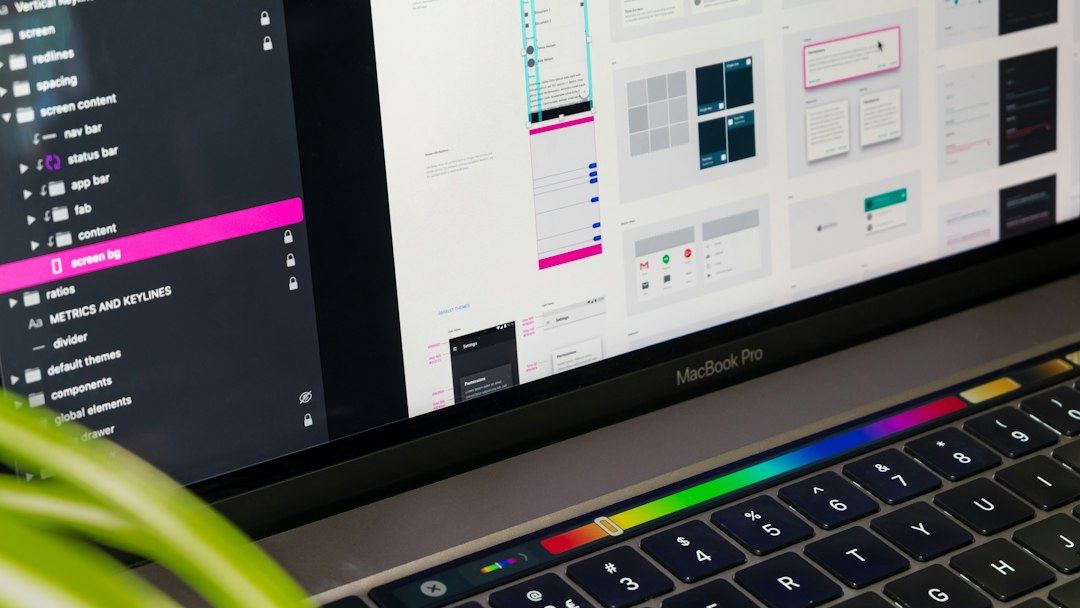
Anima is best when the goal is to move from Figma layouts toward working code. It can generate code for web interfaces and preserve parts of the layout, styling, and responsive behavior. This makes it attractive for startups, prototypes, marketing pages, and front end teams that want a faster first pass.
Anima is not a pure design token tool. It is also not a classic handoff tool like Zeplin. Its value sits in the middle. It helps translate visual design into code, which can reduce the blank-page problem for developers.
Where Anima shines:
- Code export: Useful for React, HTML, and CSS style workflows.
- Prototyping: Good for clickable, realistic product demos.
- Responsive layouts: Helps show how designs behave across screen sizes.
- Speed: Can create a working base faster than starting from zero.
Honestly, it feels like Anima sometimes promises more than teams should expect. Generated code still needs review. Components may need cleanup. Naming may not match the engineering team’s standards. It can save time, but it should not replace good front end judgment.
Tokens Studio vs Anima vs Zeplin: quick comparison
| Plugin | Best for | Weak spot |
|---|---|---|
| Tokens Studio | Design tokens, themes, design systems | Setup can feel slow for small projects |
| Anima | Design to code, prototypes, web pages | Generated code still needs cleanup |
| Zeplin | Developer handoff, specs, screen organization | Can duplicate work if Figma Dev Mode is enough |
Which one should a team choose?
A mature product team with a growing design system should pick Tokens Studio first. It helps designers and developers speak in shared values instead of one-off visual choices.
An agency handing off static screens to several client developers may get better value from Zeplin. It keeps specs neat and reduces back-and-forth.
A startup building a landing page, MVP, or prototype may prefer Anima. It can speed up early code work, as long as the team accepts that refactoring will follow.
The simple answer is this: Tokens Studio manages the system, Zeplin explains the design, and Anima helps build the first code pass.
FAQ
Is Tokens Studio better than Zeplin?
For design tokens, yes. Tokens Studio is more focused on token structure, themes, and design system logic. Zeplin is better for clean handoff and screen inspection.
Can Anima replace a developer?
No. Anima can generate useful starting code, but developers still need to review, clean, test, and connect the work to real product logic.
Does a team need all three plugins?
Usually, no. A large team might use Tokens Studio for tokens and Zeplin for handoff. Anima is more useful when code export is part of the workflow.
What is the best plugin for a small team?
For a small team with a simple product, Zeplin or Figma Dev Mode may be enough. If that team plans to build a serious design system, Tokens Studio is the smarter long-term choice.