

Running an auction is exciting, but behind every fast bid call is a practical need: someone must record bidders, lots, prices, payments, invoices, and settlement details accurately. That is where auction clerking software comes in. For small auction houses, charity events, estate liquidators, livestock sales, and online sellers testing the waters, free options can be especially attractive.
TLDR: Free auction clerking software options do exist, but they usually come with tradeoffs such as limited features, manual setup, ads, or restrictions on auction size. The best free choice depends on whether you need live auction clerking, online bidding, invoicing, bidder registration, or simple recordkeeping. Spreadsheets, free trials, open source tools, and free tiers can all work if matched carefully to your auction format.
What Does Auction Clerking Software Actually Do?
Auction clerking software helps track the business side of an auction while bids are being placed. In a traditional live auction, the clerk records the winning bidder number, hammer price, lot number, taxes, buyer premiums, and any special notes. In an online or hybrid auction, the system may also manage registrations, absentee bids, payments, invoices, and reports.
Good clerking software reduces mistakes, speeds up checkout, and creates a reliable record for consignors and buyers. Even a small auction can become chaotic if several bidders are checking out at once, a lot is disputed, or a consignor wants a detailed settlement report. The right free option may not be glamorous, but it can prevent a lot of end of sale confusion.
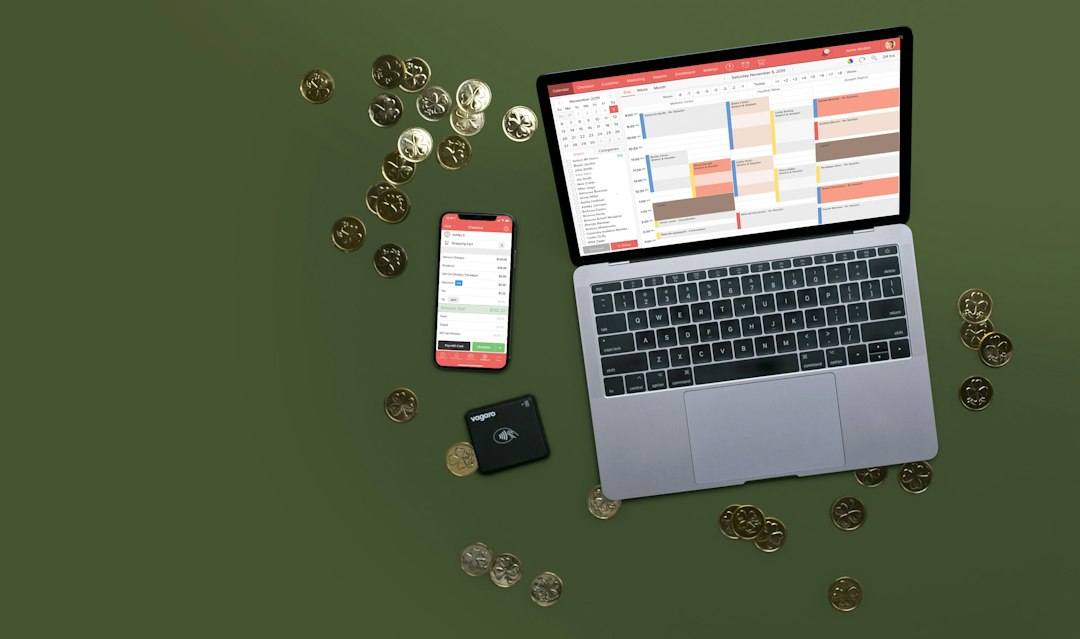
Types of Free Auction Clerking Software Options
There is no single “best” free auction clerking tool for everyone. Instead, free options generally fall into a few useful categories:
- Free spreadsheet templates: Simple, flexible, and ideal for small auctions.
- Free tiers of auction platforms: Useful for online auctions, though often limited by volume or fees.
- Free trials of paid software: Good for testing professional systems before committing.
- Open source or self hosted tools: Best for technically confident users who want control.
- General small business software: Accounting, invoicing, and inventory tools adapted for auction use.
Option 1: Spreadsheet Based Clerking
For many small auctions, the most realistic free option is a spreadsheet. Google Sheets, LibreOffice Calc, and similar tools can be turned into basic auction clerking systems. A thoughtfully built sheet can include columns for lot number, description, consignor, winning bidder, sale price, buyer premium, tax, total due, and payment status.
The biggest advantage is flexibility. You can customize formulas, duplicate templates for each auction, and share files with other staff. Google Sheets is particularly useful because multiple people can work in the same file at once, which helps when one person is clerking and another is handling checkout.
However, spreadsheets require discipline. They do not automatically prevent every error, and they may not handle complex buyer premiums, split commissions, or integrated card payments without extra work. They are best for charity auctions, club fundraisers, small estate sales, and auctioneers who are comfortable with manual processes.
Option 2: Free Tiers from Auction Platforms
Some auction platforms offer free access to basic tools, especially if they earn revenue through buyer fees, seller fees, payment processing, or upgraded services. These platforms may include online cataloging, bidder registration, bid tracking, invoice generation, and reporting.
This can be a strong choice if your auction is primarily online. Instead of building spreadsheets from scratch, you can upload lots, accept bids, close the auction, and generate invoices inside one system. The clerking function is built into the bidding process because winning bidders and final prices are recorded automatically.
The catch is that “free” may not mean cost free for everyone involved. Buyers may pay premiums, sellers may pay commissions, or payment processing fees may apply. Before choosing a platform, read the fee structure carefully and ask:
- Is there a listing fee?
- Are there limits on the number of lots?
- Who pays the platform fee?
- Can you export bidder, lot, and invoice data?
- Does the system support live auctions, online auctions, or both?
Option 3: Free Trials of Professional Auction Software
Professional auction management systems often provide free demos or trial periods. While these are not permanently free, they are valuable if you are comparing tools before investing. A trial can show you whether the software fits your workflow, your staff’s skill level, and your auction size.
During a trial, do not just click through the menus. Create a mock auction with actual sample lots, bidder numbers, taxes, commissions, and checkout scenarios. Test the reports you need most, such as buyer invoices, consignor settlements, unpaid balances, and post sale summaries.
A free trial is most useful when treated like a dress rehearsal, not a casual tour. If the system feels confusing during a test, it may feel overwhelming during a fast moving auction.

Option 4: Open Source and Self Hosted Tools
Open source software can be appealing because it gives users more control and may avoid subscription fees. Some general inventory, sales, or event management systems can be adapted for auction clerking. A technically skilled team might also build a custom clerking workflow using open source databases, web forms, or inventory applications.
The benefit is customization. You can design fields and reports around your auction method rather than forcing your process into someone else’s system. The downside is maintenance. Someone must handle hosting, backups, updates, security, and troubleshooting.
For a casual auction organizer, this may be too much work. For an auction company with in house technical help, open source tools can become a powerful low cost foundation.
Option 5: Free Business Tools Adapted for Auctions
Another practical route is to combine free business tools. For example, you might use one free tool for inventory, another for invoicing, and a spreadsheet for clerking. This modular approach works when auctions are occasional and not too complex.
A typical setup might look like this:
- Use a spreadsheet to catalog lots and consignors.
- Print bidder registration sheets or use an online form.
- Record winning bids in the spreadsheet during the sale.
- Create invoices using free accounting or invoice software.
- Export final totals for consignor settlements.
This setup is not as smooth as dedicated auction software, but it can be surprisingly effective for small operations. The key is consistency: use the same lot numbers, bidder IDs, and naming conventions across every tool.
Features to Look For in a Free Option
Whether you choose a spreadsheet, platform, trial, or open source tool, focus on the features that matter most. Free software is only useful if it supports your actual auction workflow.
- Bidder registration: Can you track names, numbers, contact details, and tax status?
- Lot management: Can you list descriptions, categories, reserves, and consignors?
- Real time clerking: Can bids be entered quickly and corrected easily?
- Buyer premiums and taxes: Can calculations be automated?
- Invoices and receipts: Can buyers check out quickly?
- Consignor reports: Can sellers see what sold and what they are owed?
- Data export: Can you download your records if you switch systems later?
Important Limitations of Free Software
Free auction clerking software can be helpful, but it is rarely perfect. Limitations may include minimal support, fewer integrations, limited user accounts, no offline access, branding on invoices, or caps on auction volume. Some tools may also lack advanced features such as barcode scanning, multi ring auctions, absentee bidding, webcast integration, or automated tax handling.
Reliability is especially important. If your auction depends on internet access, consider what happens if the connection drops. If your records live in a spreadsheet, make backups before, during, and after the event. If multiple people are entering data, assign clear roles so that records are not overwritten or duplicated.
How to Choose the Right Free Option
Start by identifying your auction type. A one night charity auction may only need a shared spreadsheet and simple invoices. A weekly estate auction may need stronger reporting and buyer history. An online collectibles sale may benefit most from a platform with built in bidding and payment tools.
Next, estimate your volume. The needs of a 40 lot fundraiser are very different from a 600 lot equipment auction. Also consider your staff. The best software is not always the most powerful; it is the one your clerks can use accurately under pressure.
Finally, think about growth. A free setup may be perfect today, but if your auctions become larger, faster, or more frequent, paid software may eventually save more money than it costs by reducing errors and labor.
Final Thoughts
Free auction clerking software options can be a smart starting point for organizers who need structure without a big upfront investment. Spreadsheets offer simplicity, free tiers provide online convenience, trials reveal professional features, and open source tools allow deeper customization. The best choice depends on your auction format, technical comfort, and reporting needs.
For small auctions, free tools can work extremely well when planned carefully. For larger or more complex sales, they can still serve as a testing ground before upgrading. In every case, the goal is the same: record every sale clearly, check out buyers efficiently, and finish the auction with clean, trustworthy records.