
It can be surprising and even a little unsettling when your phone suddenly displays a message like “NFC Tag Detected”, especially if you didn’t intentionally use NFC (Near Field Communication) features. Is this a sign of a security threat? Is your phone malfunctioning? Or could there be a perfectly harmless explanation? In this article, we’ll delve into what this message means, how NFC works, why the alert might appear unexpectedly, and what you should do when you encounter this message.
What Is NFC?
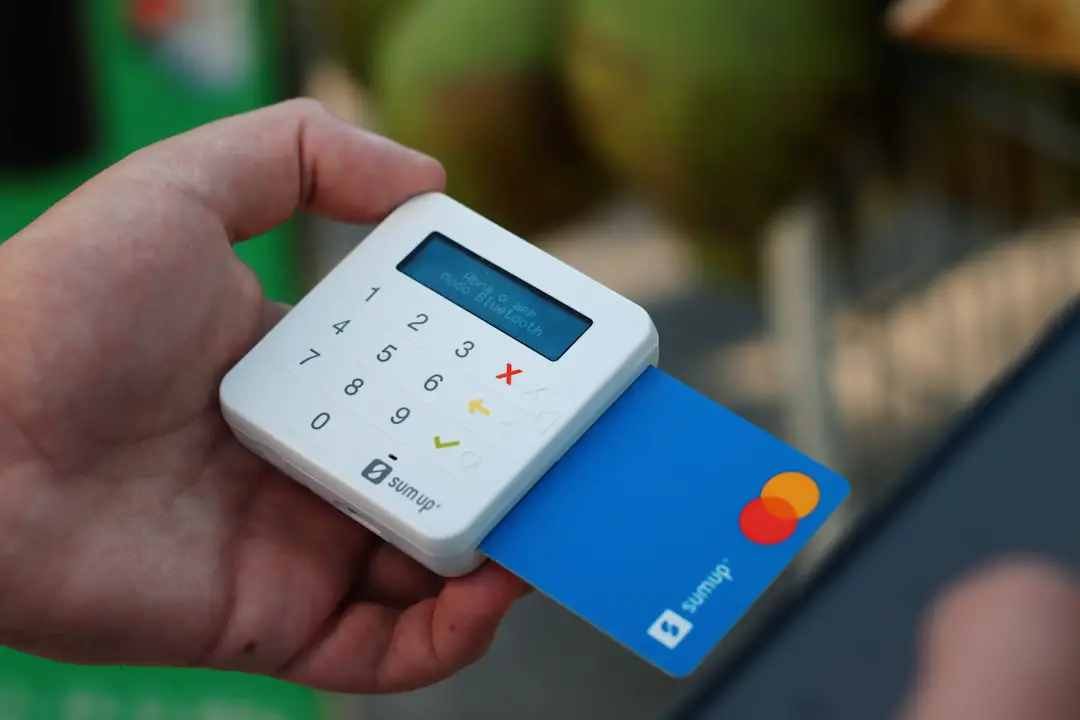
NFC, short for Near Field Communication, is a short-range wireless communication technology. It enables two electronic devices—usually mobile devices like smartphones and tablets—to exchange data when brought within close proximity, typically less than 4 centimeters (about 1.5 inches). NFC is used in everyday applications such as contactless payments, electronic ticketing, and device pairing.
NFC is highly valued for its speed, simplicity, and security when used appropriately. Because of its extremely short transmission range, it is unlikely to interact with unauthorized devices, making it safer for specific transactions like mobile payments via Google Pay or Apple Pay.
Common Uses of NFC Technology
- Contactless Payments: Tapping your phone to pay at grocery stores or coffee shops.
- Digital Tickets: Accessing concerts, transportation, or events by scanning your phone.
- Device Pairing: Connecting Bluetooth headsets, speakers, or cameras with a simple tap.
- Smart Tags: Using NFC stickers or cards programmed to perform tasks like turning on Wi-Fi or launching an app.

These use cases are designed to be user-friendly and enhance convenience. However, NFC can also pick up signals from passive sources you’re not aware of, including embedded tags in posters, business cards, or even clothing labels.
Why Does Your Phone Say “NFC Tag Detected”?
When your phone shows the message “NFC Tag Detected”, it means that your phone’s NFC reader has come into immediate range of an NFC tag. An NFC tag is a small, inexpensive chip that can store information such as URLs, app instructions, or settings commands. These tags do not require power and can remain embedded inside many physical items.
Scenarios where this detection might happen include:
- Your phone being placed on or near an NFC sticker or object with an embedded tag, such as in buses or public displays.
- Your phone hovering over a payment terminal even when you’re not making a payment.
- Carrying or touching wallets, ID cards, or items with built-in NFC tags while the phone’s screen is active.
Because most smartphones now come with continuously active NFC readers, especially during screen-on activity, such interactions can occur even without your intention. In other words, your phone is just doing its job—it has detected a nearby source of NFC data and is offering to interpret it for you.
Is “NFC Tag Detected” a Security Concern?
This notification is usually not a cause for panic. In most cases, the detection of an NFC tag is benign and doesn’t lead to any automatic actions unless you confirm or open the associated content. However, just like with email or QR codes, malicious use of NFC is possible—but rare.
For example, someone could encode an NFC tag with a URL that links to a phishing site or malware. If your phone reads this tag and you click on the link shown, you could potentially expose your device to harm. However, it’s important to note:
- Your phone will not execute any data from the NFC tag automatically—it will prompt you to approve or open content.
- As long as you do not interact with suspicious prompts or URLs, there is minimal security risk.
In short, if you didn’t expect to use NFC and see a notification, use caution. Do not tap any links unless you understand the source. It’s technically safe, but it’s always best to be on the alert.
How to Respond When You See the Notification
If you see an “NFC Tag Detected” popup:
- Try to identify what object might have an NFC chip near your phone. Common suspects include ID badge holders, credit cards, or transportation cards.
- Move your phone away from the potential tag and see if the notification disappears.
- If you’re presented with the option to unlock or open a URL, do not click on suspicious links.
- If it keeps happening and you’re concerned, it may be worth disabling NFC temporarily.
Remember, NFC tags are passive. They don’t attempt to connect or steal data. They simply broadcast pre-programmed information that your phone can read if it’s set to allow it.
How to Turn Off NFC on Your Phone
If you don’t use NFC features like contactless payments or device pairing, and you want to avoid seeing this message, you might consider disabling it altogether. Here’s how:
For Android Devices:
- Open the Settings app.
- Navigate to Connected Devices or Connections.
- Tap on NFC.
- Toggle the switch to turn it off.
For iPhones:
Older iPhones had limited NFC functionality. Recent iPhones (iPhone 7 and above) have more capabilities but do not allow users to disable NFC manually in most versions of iOS. Instead, Apple manages these processes securely in the background, allowing NFC only in very specific instances (e.g., when the screen is on and unlocked, or during Apple Pay transactions).
Where Are NFC Tags Commonly Found?
NFC tags are more widespread than many users realize. Here are some common locations where you might unknowingly trigger an NFC detection:
- Company access badges or keycards with embedded NFC chips
- Public transportation cards used for tap-and-go access
- Smart posters or advertisements that launch a URL when scanned
- Smart home accessories or IoT (Internet of Things) devices
- Luggage tags, clothing labels, or novelty items built with smart features
In many cases, you may simply not be aware that you’re carrying such items close to your phone. For example, storing your work ID and phone in the same wallet might lead to unwanted NFC alerts.
Should You Be Concerned About Privacy?
Your phone only reads NFC tags; it doesn’t broadcast personal data via NFC unless you authorize a function like payment or sharing a file. That being said, repeated unintentional NFC activations can be annoying and potentially confusing.
To maintain both privacy and convenience, it’s wise to:
- Keep a small physical distance between objects with embedded NFC tags and your mobile device.
- Disable NFC when not in use, especially if you don’t regularly make contactless payments.
- Be cautious with public NFC tags or those with unknown origins.
Conclusion
When your phone says “NFC Tag Detected”, it’s essentially performing a normal function: identifying a nearby NFC tag capable of sharing data. Though the message may seem sudden, it’s typically harmless. Understanding where NFC tags exist and under what conditions they trigger is key to minimizing unwanted alerts while still enjoying this convenient technology.
Whether you embrace NFC for fast payments and smart automation, or you decide to disable it for peace of mind, your knowledge of this feature empowers you to make the best decision for your digital lifestyle.