The fastest way to improve Google search visibility is to pair Google Search Console with one strong SEO audit app, one keyword research app, and one content optimization app. Google says its ranking systems look at many signals, including page experience and helpful content, so a visibility score usually improves when technical health, rankings, and content quality improve together [source: Google].
TLDR: Start with Google Search Console because it shows real search data from Google. Add Semrush or Ahrefs to track keyword movement and competitor gaps. Use Screaming Frog SEO Spider to find technical issues that quietly hurt rankings. For example, a small ecommerce site with 120 product pages might lift organic clicks by 18% in 90 days by fixing missing titles, slow pages, and weak category copy.
1. Google Search Console: Best Free App for Real Google Data
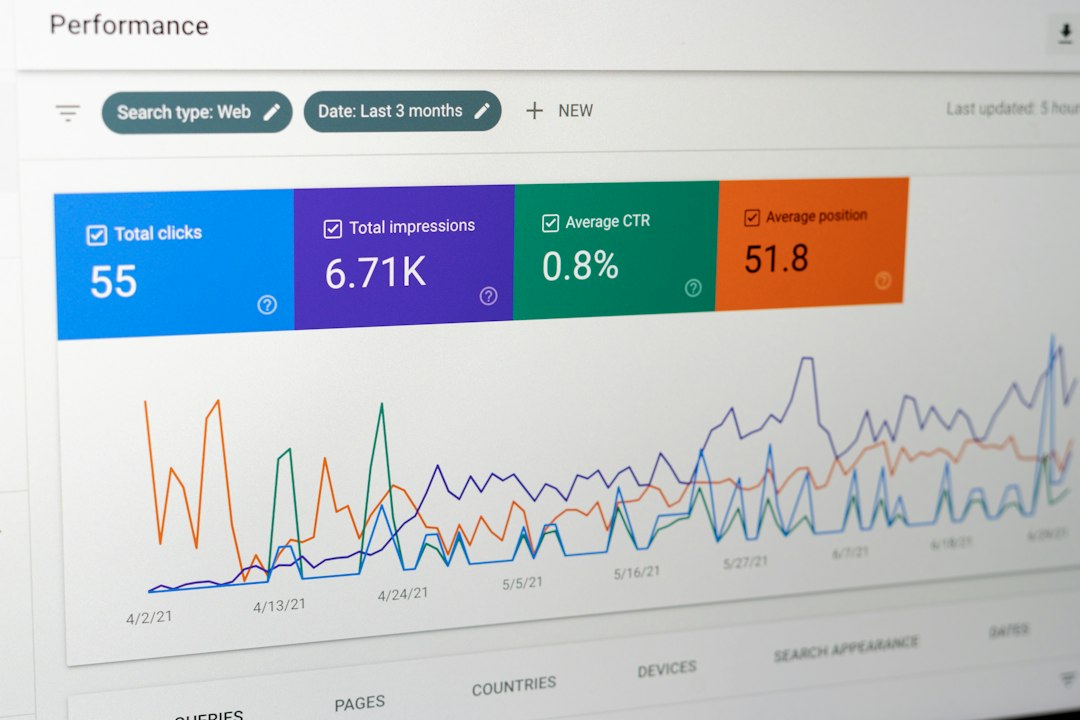
Google Search Console is the first app to use because it shows how Google sees your site. It tracks clicks, impressions, average position, indexing issues, Core Web Vitals, and manual actions.
This is not a third-party guess. It is direct reporting from Google. That makes it ideal for spotting pages that almost rank well but need a push.
Best uses:
- Find pages with high impressions but low clicks.
- Check which keywords already bring traffic.
- Submit sitemaps and inspect URLs.
- Spot indexing problems before they spread.
Simple win: Open the Performance report. Filter pages with an average position between 8 and 20. These pages are close. Improve titles, add clearer headings, and refresh the content. This often gives faster results than writing brand-new pages.
The annoying part? Search Console data can lag. Sometimes you wait a day or two before seeing fresh results. It drives me crazy when testing title changes, but the data is still worth the wait.
2. Semrush: Best All-Round SEO Visibility Tracker
Semrush is a strong choice if you want one app that covers keyword tracking, competitor research, site audits, backlink checks, and content ideas. Its visibility score helps you see whether your tracked keywords are moving up or down as a group.
For teams, this is useful. A single keyword can jump around. A visibility trend gives a cleaner view. If your score rises from 6.5% to 9.2% over two months, your SEO work is likely moving in the right direction.
Best uses:
- Track keyword rankings by location.
- Compare your rankings with competitors.
- Run site audits for broken links and missing tags.
- Find pages losing traffic.
Semrush is especially helpful for content planning. You can enter a competitor’s domain and see the pages that bring them the most search traffic. Then you can build better, clearer pages around similar user needs.
The drawback is the interface. There is a lot on screen. Expect to waste time on the first few visits while learning where reports live. Once saved projects are set up, though, it becomes much faster.

3. Ahrefs: Best for Backlinks and Keyword Gaps
Ahrefs is excellent for understanding why other sites outrank you. Its backlink database, keyword tools, and content reports make it great for improving authority and finding missed search terms.
Backlinks still matter because they help search engines judge trust and popularity. Ahrefs makes this easy to inspect. You can see who links to your competitors, which pages attract links, and where your own site is weak.
Best uses:
- Find keyword gaps between your site and competitors.
- Check backlinks pointing to your pages.
- Track ranking changes over time.
- Find content that earns links in your niche.
A smart workflow is to use Ahrefs’ Content Gap report. Add two or three competitors. Then look for keywords they rank for, but your site does not. Pick terms with clear intent and realistic difficulty. Build useful pages around them.
Honestly, Ahrefs can feel expensive if you only check rankings once a week. It makes more sense if you also use it for link research, content planning, and competitor tracking.
4. Screaming Frog SEO Spider: Best for Technical SEO Fixes
Screaming Frog SEO Spider is the app to use when your site feels messy and rankings are stuck. It crawls your website like a search engine bot and reports technical problems fast.
This tool finds issues that humans miss. Duplicate titles. Missing meta descriptions. Broken links. Redirect chains. Thin pages. Canonical tag mistakes. These problems can lower search performance, especially on larger sites.
Best uses:
- Audit titles, headings, and meta descriptions.
- Find 404 errors and bad redirects.
- Check canonical tags and indexability.
- Export SEO issues into spreadsheets.
Use it before major site updates. Also use it after a redesign. A clean homepage means little if 300 older URLs are blocked, broken, or missing titles.
The interface feels a bit old-school. Large crawls can also slow your computer if settings are too high. Still, for technical SEO work, it is hard to beat.
How to Choose the Right Mix
You do not need every app at once. Start small. Use Google Search Console every week. Add one paid app when you need deeper tracking.
- Best free starting point: Google Search Console.
- Best all-in-one choice: Semrush.
- Best for backlinks: Ahrefs.
- Best for technical audits: Screaming Frog SEO Spider.
For a local service business, Search Console plus Semrush may be enough. For a blog or affiliate site, Ahrefs can uncover topic gaps faster. For ecommerce, Screaming Frog is nearly essential because product pages often create duplicate or thin content at scale.
Quick Weekly Visibility Routine
- Check Google Search Console for pages losing clicks.
- Review keyword movement in Semrush or Ahrefs.
- Fix one technical issue found by Screaming Frog.
- Update one page that ranks on page two of Google.
- Track results after two to four weeks.
Final tip: Do not chase a score for its own sake. A better score should lead to more qualified clicks, more leads, and more sales. The best apps make the boring work visible, so you can fix what actually holds your site back.