
Your logo is the face of your brand. It is the first thing people see. It shapes first impressions in seconds. The good news? You do not need to be a professional designer to create one. Modern logo tools make branding fast, simple, and even fun.
TL;DR: Great logo design no longer requires advanced software or big budgets. There are powerful tools that help you create stunning logos in minutes. From beginner-friendly platforms to pro-level design software, this list covers the best options. Pick the one that matches your skill level and start building your brand today.
A strong logo builds trust. It tells your story without words. It makes your business memorable. Below are the top 10 logo design tools that deliver instant brand identity—with less stress and more creativity.
1. Canva
Canva is a favorite for beginners. It is simple. It is clean. It works right in your browser.
- Drag-and-drop editor
- Thousands of templates
- Free and paid elements
- Great for social media branding
You can customize colors, fonts, and icons in seconds. Canva is perfect for startups and small businesses that want something quick and polished.
Best for: Beginners who want fast results.
2. Adobe Illustrator
This is the pro choice. If logos were a sport, Illustrator would be the championship arena.
- Vector-based design
- Full creative control
- Advanced tools and effects
- Industry standard software
It has a learning curve. But once you master it, you can create anything you imagine.
Best for: Professional designers and detail lovers.
3. Looka
Looka uses AI to generate logos in minutes. You enter your brand name. Pick colors. Choose styles. The system does the heavy lifting.
- AI-powered suggestions
- Instant logo previews
- Brand kit options
- User-friendly interface
If you want speed, this tool shines.
Best for: Entrepreneurs who want a logo today.
4. Wix Logo Maker
Wix is known for websites. But its logo maker is surprisingly powerful.
- AI-guided design process
- Fully customizable results
- Scalable files
- Works well with Wix websites
Answer a few questions. Get multiple logo options. Edit as needed.
Best for: Business owners building a website and logo together.
5. Tailor Brands
This platform blends AI and branding strategy.
- Smart logo generator
- Social media assets included
- Business card designs
- Brand style tools
It goes beyond just a logo. It helps shape your entire visual identity.
Best for: Small business branding packages.
6. Hatchful by Shopify
Hatchful is simple. Very simple. That is its superpower.
- Free to use
- Industry-specific templates
- Mobile-friendly
- Quick downloads
You choose your niche. Pick a visual style. The platform generates logo options instantly.
Best for: Ecommerce beginners.
7. LogoMakr
LogoMakr feels like a classic design studio. Clean workspace. Drag elements. Adjust freely.
- Huge icon library
- Simple editing controls
- Transparent PNG export
- Budget-friendly downloads
It gives you freedom without overwhelming you.
Best for: DIY creators who want flexibility.
8. Figma
Figma is powerful and collaborative. Teams love it.
- Browser-based design
- Real-time collaboration
- Vector editing tools
- Free starter plan
While it is not logo-specific, it is perfect for building brand systems from scratch.
Best for: Teams and startups building full brand kits.

9. CorelDRAW
CorelDRAW is a strong Illustrator alternative. It has been around for decades.
- Precision vector tools
- Typography controls
- Layout features
- Professional-grade exports
It is robust. It is reliable. It is built for serious creators.
Best for: Advanced designers who want another pro option.
10. LogoAI
This AI-powered tool focuses on smart automation.
- Quick brand generation
- Automatic logo resizing
- Color palette suggestions
- Business-ready downloads
In just a few clicks, you get logos, mockups, and previews.
Best for: Fast branding with minimal effort.
Quick Comparison Chart
| Tool | Skill Level | Best Feature | Pricing |
|---|---|---|---|
| Canva | Beginner | Easy templates | Free + Paid |
| Adobe Illustrator | Advanced | Full creative control | Subscription |
| Looka | Beginner | AI logo generation | Paid |
| Wix Logo Maker | Beginner | Website integration | Free + Paid |
| Tailor Brands | Beginner | Full brand kits | Subscription |
| Hatchful | Beginner | Free logos | Free |
| LogoMakr | Beginner | Icon library | Free + Paid |
| Figma | Intermediate | Team collaboration | Free + Paid |
| CorelDRAW | Advanced | Precision design | Subscription |
| LogoAI | Beginner | Automation | Paid |
How to Choose the Right Tool
Feeling overwhelmed? Keep it simple. Ask yourself these questions:
- Am I a beginner or advanced user?
- Do I want full control or quick AI help?
- What is my budget?
- Do I need a full brand kit?
If you want speed, choose an AI generator. If you love control, go with vector software. If you work in a team, pick a collaborative platform.
There is no single “best” tool. There is only the best tool for you.
Tips for Creating a Memorable Logo
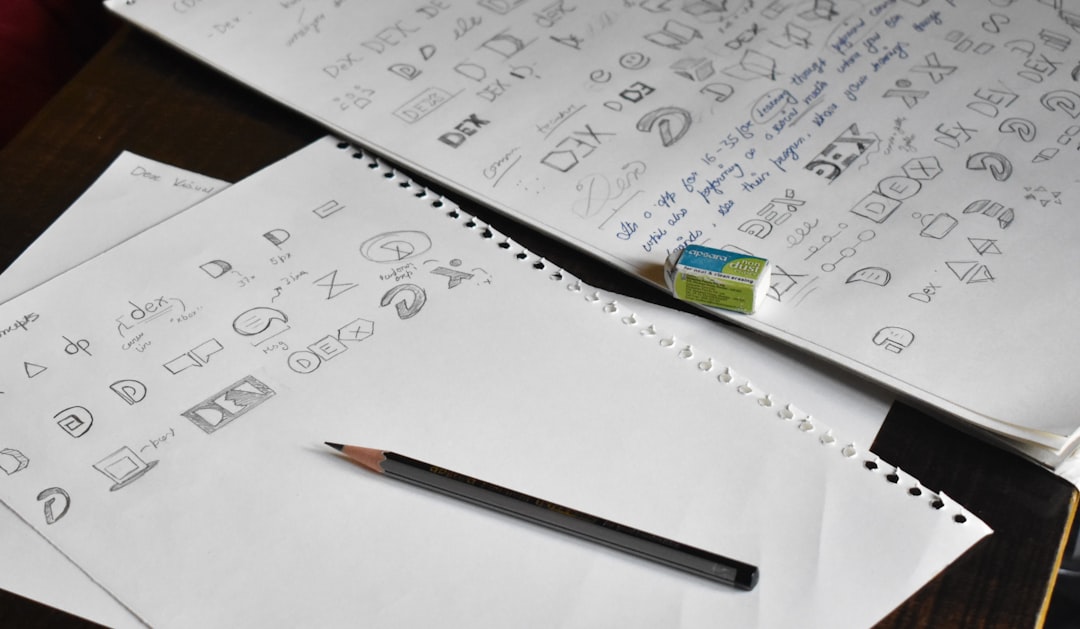
No matter which tool you use, follow these golden rules:
1. Keep it simple.
Simple logos are easier to remember.
2. Choose strong colors.
Color shapes emotion. Blue builds trust. Red creates energy. Green suggests growth.
3. Pick readable fonts.
Fancy is fun. But readable wins every time.
4. Make it scalable.
Your logo should look good on a billboard and a business card.
5. Stay unique.
Avoid copying trends too closely. Aim for timeless.
Why Instant Brand Identity Matters
We live in a fast world. Attention spans are short. Customers scroll quickly.
Your logo must:
- Grab attention
- Communicate trust
- Show personality
- Stay memorable
Modern tools allow you to test ideas fast. You can experiment with colors. Swap fonts. Try icons. All in minutes.
This speed gives businesses an edge. You can launch faster. Rebrand quicker. Adapt easily.
Final Thoughts
Logo design is no longer locked behind expensive agencies or complex software. Today, anyone can build a brand identity in an afternoon.
Whether you choose a powerful tool like Illustrator or a speedy AI generator like Looka or LogoAI, you have options. Lots of them.
The key is action. Pick one tool. Start experimenting. Test ideas. Refine your design.
Your brand deserves a logo that stands tall. And now, you have everything you need to create it.
Go design something amazing.