

For many professionals, a business card remains one of the simplest ways to make a polished first impression. Whether it is handed out at a conference, slipped into a product package, or shared after a client meeting, a well-designed card can communicate credibility in seconds. Thanks to modern online design platforms, creating a custom business card no longer requires advanced design skills or expensive software.
TLDR: Professional business cards can be created quickly using online tools with templates, brand kits, print options, and customization features. The best platforms help users control layout, typography, color, and paper quality without needing graphic design experience. Tools such as Canva, Adobe Express, VistaPrint, Moo, Zazzle, Fotor, Visme, Looka, Shopify Business Card Maker, and Staples make the process easier for freelancers, small businesses, and growing teams.
Why Online Business Card Tools Are So Popular
Online business card makers have become popular because they combine convenience, affordability, and creative control. A business owner can choose a template, upload a logo, adjust colors, and order printed cards within one session. Many platforms also provide downloadable files, allowing cards to be printed locally or shared digitally.
These tools are especially useful for entrepreneurs, consultants, real estate agents, designers, photographers, and service providers who need professional materials without hiring a full design team. The best platforms offer clean templates, easy editing, and print-ready export options.
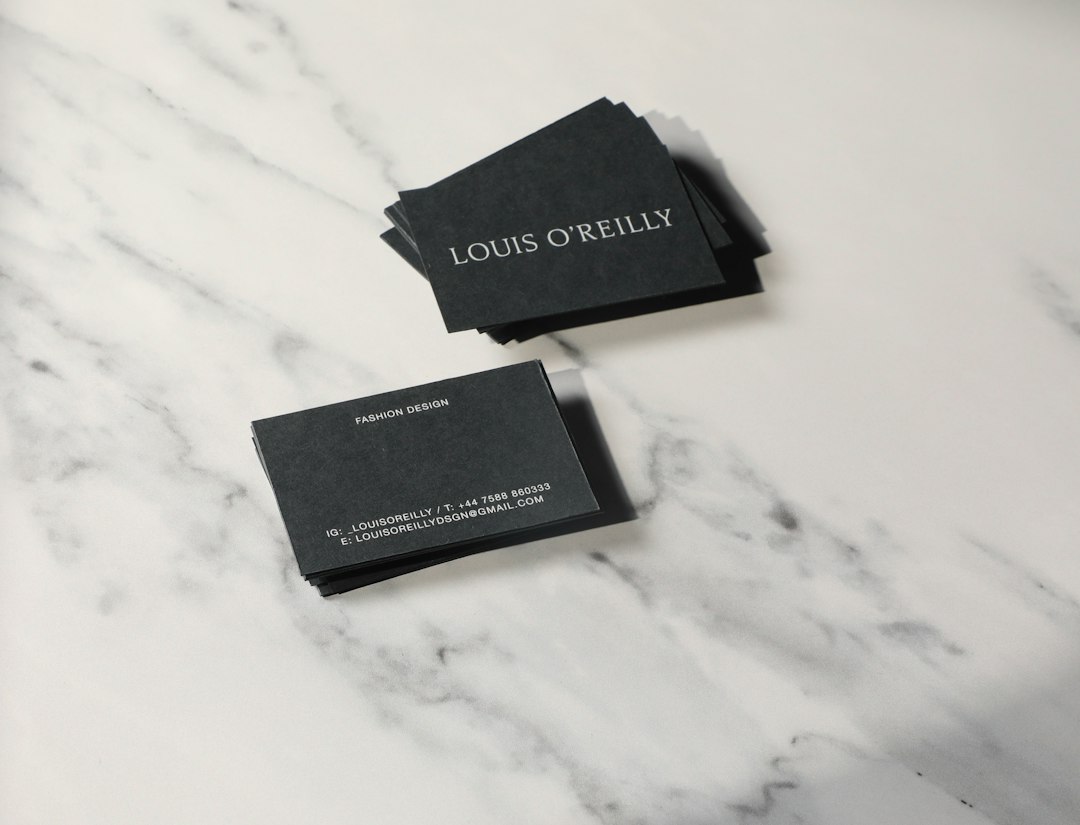
10 Online Tools for Custom Business Card Designs
1. Canva
Canva is one of the most widely used design platforms for business cards. It offers thousands of templates across industries, from minimalist corporate cards to colorful creative layouts. Users can drag and drop elements, upload logos, adjust fonts, and apply brand colors with ease.
Canva is ideal for professionals who want a fast, flexible design experience. Its brand kit feature is helpful for businesses that need consistent visuals across cards, flyers, social media graphics, and presentations.
2. Adobe Express
Adobe Express provides a clean and beginner-friendly way to create custom business cards. It includes high-quality templates, typography tools, icons, backgrounds, and image editing features. Since it comes from Adobe, it is a strong choice for users who care about design polish but do not want the complexity of traditional professional software.
It works well for small businesses that want elegant, modern cards with strong visual balance. Users can also create matching branded content for digital marketing.
3. VistaPrint
VistaPrint is known for combining design tools with reliable printing services. It offers business card templates, custom uploads, specialty finishes, and various paper stocks. Professionals can design cards online and order them directly from the same platform.
VistaPrint is particularly useful for businesses that need printed cards in bulk. Options such as matte, glossy, recycled paper, rounded corners, and raised print can help a simple design feel more premium.
4. Moo
Moo is a strong choice for professionals who want distinctive, high-end business cards. The platform is known for premium paper, bold finishes, and unique print options. Moo also allows multiple designs in a single pack, which is helpful for photographers, artists, and brands that want to showcase different images or messages.
Its templates tend to feel stylish and refined. For professionals who want a card that people are likely to remember, Moo is worth considering.
5. Zazzle
Zazzle offers a large marketplace of business card templates created by independent designers. This gives users access to a wide range of styles, including luxury, playful, artistic, rustic, corporate, and industry-specific designs.
Zazzle is useful for professionals who want something less generic. Because many templates are highly niche, users can often find designs suited to salons, bakeries, fitness coaches, consultants, pet services, and creative studios.
6. Fotor
Fotor is an online design and photo editing tool that includes business card templates. It is especially useful when cards need strong photo elements, such as portraits, product images, or portfolio samples. Users can edit images, apply effects, and customize layouts from one browser-based workspace.
Fotor is a practical option for photographers, beauty professionals, personal brands, and independent creators who want image-focused cards without switching between multiple tools.
7. Visme
Visme is a visual content platform that supports business cards, presentations, infographics, and branded documents. Its business card maker includes templates, icons, data visuals, and brand management features. This makes it particularly helpful for companies that want consistent materials across several formats.
Visme may appeal to agencies, coaches, educators, and startups that need more than just a card. It provides a structured design environment for creating professional, cohesive branding assets.
8. Looka
Looka focuses on brand identity creation and includes tools for generating business card designs based on a company’s logo, colors, and style preferences. It is useful for new businesses that are still developing their visual identity.
Rather than starting from a blank canvas, users can create or upload brand elements and apply them to card layouts. This approach helps ensure that the final design feels connected to the broader business image.
9. Shopify Business Card Maker
Shopify Business Card Maker is a simple option for entrepreneurs who need a clean card quickly. It is not as advanced as some full design platforms, but it is easy to use and well suited for basic professional cards.
This tool can be helpful for ecommerce sellers, local service providers, and side businesses that want a straightforward design without spending much time on customization. Its simplicity is part of its appeal.
10. Staples
Staples offers online business card design and printing services, making it convenient for professionals who prefer a familiar office supply provider. Users can choose from templates, upload completed designs, and select printing options.
Staples is especially useful when speed and local pickup matter. For businesses preparing for events, meetings, or trade shows, the ability to order online and collect prints from a nearby location can be valuable.
How to Choose the Right Business Card Tool
The best tool depends on the user’s goals, budget, and design confidence. A freelancer who wants full creative freedom may prefer Canva or Adobe Express. A company focused on premium print quality may choose Moo or VistaPrint. A new business building a full identity may benefit from Looka or Visme.
Before selecting a platform, professionals should consider the following:
- Template quality: The designs should look modern, balanced, and appropriate for the industry.
- Customization options: Colors, fonts, logos, icons, and layouts should be easy to adjust.
- Print quality: Paper type, finish, and color accuracy can affect the final impression.
- Export options: Downloadable print-ready files are useful for local or third-party printing.
- Brand consistency: The card should match the company’s website, logo, packaging, and digital profiles.

Design Tips for a More Professional Card
A business card should be attractive, but it should also be clear. The most effective cards avoid clutter and focus on the essentials: name, title, company, phone number, email address, website, and possibly a QR code. Too much information can make a card difficult to read.
Typography matters as well. A clean font improves readability, while consistent spacing gives the design a polished look. Color should support the brand rather than overwhelm it. In many cases, simple and confident design choices appear more professional than overly decorative layouts.
Paper quality should not be ignored. Even a strong design can feel less impressive if printed on thin or flimsy stock. Matte finishes often feel modern and understated, while glossy finishes can make colors appear more vibrant. Specialty details such as foil, embossing, or rounded corners can add impact when used carefully.
Final Thoughts
Professional business cards are easier to create than ever because online tools now handle much of the design and production process. With the right platform, a business can create a polished card that reflects its identity, supports networking, and leaves a lasting impression. The most successful designs are not necessarily the most complex; they are clear, memorable, and aligned with the brand.
FAQ
- What is the easiest tool for making business cards online?
- Canva is often considered one of the easiest because it offers many templates, drag-and-drop editing, and simple export options.
- Which tool is best for premium printed business cards?
- Moo and VistaPrint are strong choices for premium printing, specialty finishes, and professional paper options.
- Can business cards be designed without graphic design experience?
- Yes. Most online tools provide ready-made templates, font pairings, color palettes, and layout guides that make the process beginner-friendly.
- What should be included on a business card?
- A professional card should usually include a name, job title, company name, logo, phone number, email address, website, and relevant social or QR code details.
- Are digital business card files useful?
- Yes. Downloadable files can be printed locally, shared online, attached to emails, or used as part of a broader digital networking strategy.