
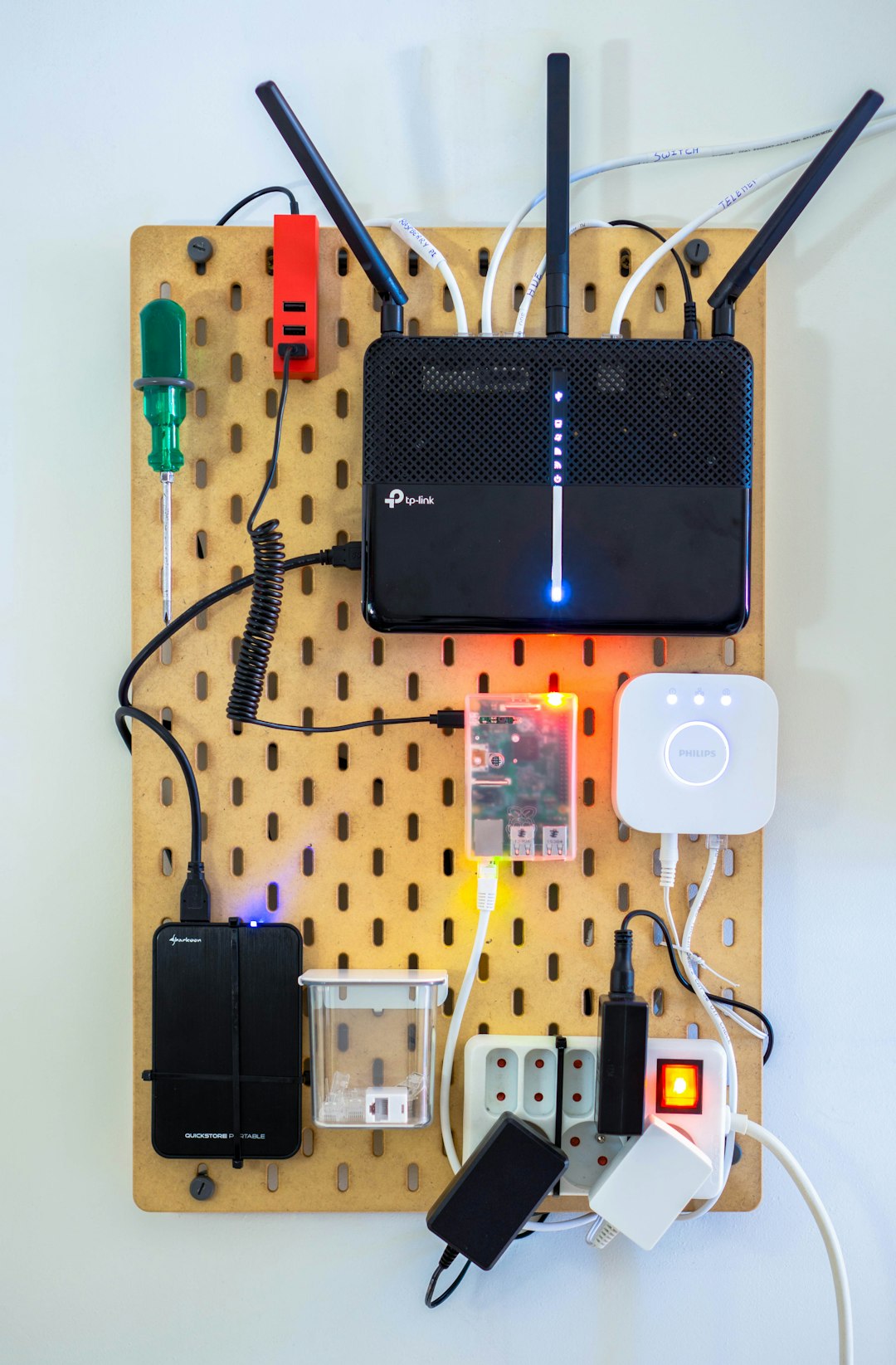
VPNs sound like secret tunnels for spies. Routers sound like grumpy traffic cops. Put them together, and things can feel confusing fast. Good news: Netgear Nighthawk VPN passthrough is much simpler than it sounds.
TLDR: VPN passthrough lets devices behind your Netgear Nighthawk router connect to outside VPN services. It does not turn your router into a VPN server. It simply allows VPN traffic to pass through the router without getting stuck. Most Nighthawk routers have this feature enabled by default.
What Is VPN Passthrough?
VPN passthrough is a router feature. It lets VPN connections move through your router and reach the internet.
Think of your router as a bouncer at a club. Normal web traffic walks in with a regular ticket. VPN traffic wears a trench coat and sunglasses. The bouncer may ask, “What is this?” VPN passthrough tells the bouncer, “It is fine. Let it through.”
This matters because many routers use something called NAT. NAT stands for Network Address Translation. It helps many devices share one public internet address. Handy? Yes. Perfect? Not always.
Some older VPN types do not love NAT. They can get confused. VPN passthrough helps them travel through the router correctly.
What Does It Do on a Netgear Nighthawk?
On a Netgear Nighthawk router, VPN passthrough allows devices in your home to connect to a remote VPN.
For example:
- Your work laptop connects to your office VPN.
- Your phone connects to a privacy VPN app.
- Your gaming PC connects to a private network.
- Your tablet uses a VPN while on home WiFi.
The router is not doing the VPN work. Your device is. The router is just opening the gate.
That is the key idea. VPN passthrough passes VPN traffic. It does not encrypt your whole network by itself.
VPN Passthrough vs VPN Router
This is where people often get mixed up. No shame. The names are tricky.
VPN passthrough means your router lets a device use a VPN app or VPN connection.
VPN client on router means your router connects to a VPN service. Then every device on your network may use that VPN.
VPN server on router means your router lets you connect back home from outside. For example, you can access your home files while traveling.
So, passthrough is the most basic one. It is like a hallway. Traffic walks through it.
Which VPN Types Use Passthrough?
Netgear Nighthawk routers may support passthrough for several VPN protocols. A protocol is just a set of rules. Like table manners, but for internet traffic.
- IPsec passthrough: Common for business VPNs. Still widely used.
- PPTP passthrough: Older and less secure. Avoid it if you can.
- L2TP passthrough: Often paired with IPsec. Also used by some older VPN setups.
Modern VPN services often use newer protocols, like OpenVPN, WireGuard, or IKEv2. These usually work well with NAT without special passthrough settings. Still, if a VPN fails, passthrough is worth checking.
Is VPN Passthrough Usually On?
Yes. On many Netgear Nighthawk models, VPN passthrough is enabled by default. That means you may never need to touch it.
If your VPN connects fine, you are done. Celebrate. Maybe make a sandwich.
If your VPN refuses to connect, drops often, or gets stuck while “authenticating,” then passthrough may be part of the problem.

How to Check VPN Passthrough on a Nighthawk Router
The exact menu can change by model and firmware. But the general path is similar.
- Connect to your Nighthawk WiFi or use an Ethernet cable.
- Open a browser.
- Go to routerlogin.net or your router IP address.
- Log in with your admin username and password.
- Look for Advanced settings.
- Check areas like WAN Setup, Security, or VPN.
- Look for options named IPsec Passthrough, PPTP Passthrough, or L2TP Passthrough.
- Make sure the needed option is enabled.
- Save changes and reboot the router if needed.
If you do not see these settings, do not panic. Some Nighthawk firmware versions hide them because they are always on.
What If VPN Passthrough Is Missing?
Sometimes the setting is not shown at all. This can feel annoying. But it does not always mean the feature is gone.
It may mean:
- The router enables passthrough automatically.
- Your model uses different menu names.
- Your firmware has removed the manual switch.
- Your VPN problem is caused by something else.
Try updating the router firmware. Netgear often fixes bugs with updates. Also update your VPN app. Old apps can act like sleepy raccoons.
Common VPN Problems and Easy Fixes
If your VPN does not work through your Nighthawk, try these simple fixes first.
- Restart everything. Restart the router, modem, and device.
- Try another VPN protocol. Switch from PPTP to IKEv2, OpenVPN, or WireGuard if possible.
- Disable double VPN features. Some advanced VPN modes can cause issues.
- Check your firewall settings. A strict firewall may block VPN traffic.
- Test on another network. Use mobile data or another WiFi network to compare.
- Update firmware. Router bugs can break VPN connections.
- Turn off parental controls for a test. Filtering tools may block VPNs.
If only your work VPN fails, contact your company IT team. They may use special settings. They may also need specific ports opened.
Does VPN Passthrough Make You Safer?
Not by itself.
This is important. VPN passthrough is not a privacy shield. It does not hide your IP address. It does not encrypt your traffic. It does not make your router magical.
It only allows VPN traffic to pass through.
Your safety comes from the VPN connection itself. So use a strong VPN protocol. Avoid PPTP when possible. PPTP is old. It is like locking your front door with a noodle.

Should You Disable VPN Passthrough?
Most home users should leave it on. It makes life easier. It helps work laptops, school devices, and VPN apps connect.
You might disable it only if:
- You never use VPNs.
- You manage a strict network.
- You want to block older VPN protocols.
- You are troubleshooting a security policy.
For normal home networks, leaving VPN passthrough enabled is usually fine.
Simple Example
Let’s say your laptop uses a work VPN. Your laptop sends VPN traffic to your office. The Nighthawk router sees that traffic. Without passthrough, certain older VPN types may fail. With passthrough, the router lets the traffic go. Your laptop connects. Your office files appear. Everyone is happy.
That is the whole story. No dragons. No wizard hat required.
Final Thoughts
Netgear Nighthawk VPN passthrough is a helper feature. It lets VPN connections from your devices travel through your router. It is often enabled already, so you may not need to change anything.
If your VPN works, relax. If it does not, check firmware, VPN protocol, firewall rules, and passthrough settings. Keep things updated. Use modern VPN protocols when you can.
In short, VPN passthrough is the quiet door opener of your network. It does not steal the show. It just makes sure your VPN gets where it needs to go.