

Replatforming an e-commerce business is a little like moving a busy flagship store while customers are still walking through the aisles. The storefront, checkout, product catalog, integrations, analytics, and back-office workflows all need to arrive intact, preferably with improvements customers can feel immediately. Successful migration projects are rarely lucky accidents; they are the result of careful planning, disciplined execution, and a clear understanding of what must change versus what must stay stable.
TLDR: Successful e-commerce migrations begin with a clear business case, not a technology wish list. The best projects reduce risk by auditing data, mapping integrations, testing relentlessly, and launching in phases when possible. Replatforming is also a chance to improve customer experience, site performance, merchandising, and internal operations instead of simply copying the old store onto a new system.
Why E-Commerce Businesses Replatform
Most companies do not migrate platforms for fun. They do it because the current system is holding growth back. Common triggers include slow site speed, limited customization, poor mobile conversion, expensive maintenance, weak search functionality, outdated checkout flows, or difficulty expanding into new regions and sales channels.
In one representative case, a mid-sized fashion retailer had outgrown its legacy platform. Product uploads required manual spreadsheet work, promotional campaigns needed developer support, and mobile shoppers abandoned carts at a higher rate than desktop users. The business was still growing, but every new initiative felt heavier than it should have. Replatforming became less of an IT project and more of a growth strategy.

Lesson 1: Start With Business Outcomes
The most successful migration teams begin by asking: What should the new platform allow us to do better? This question keeps the project focused. Without it, stakeholders may chase features that sound impressive but do not directly improve revenue, efficiency, or customer experience.
Strong goals are specific and measurable. For example:
- Improve mobile conversion by simplifying checkout and optimizing page speed.
- Reduce merchandising workload by automating product categorization and promotions.
- Support international growth with multiple currencies, languages, and localized tax rules.
- Increase average order value through smarter recommendations and bundled offers.
- Lower technical debt by replacing custom workarounds with native or well-supported features.
In the fashion retailer’s case, the team prioritized faster product launches, better mobile performance, and easier promotion management. These goals shaped vendor selection, integration decisions, and post-launch success metrics.
Lesson 2: Audit Before You Move
Many migration problems begin with an assumption: that the existing store is organized well enough to transfer directly. In reality, years of quick fixes often leave behind duplicate products, outdated customer records, broken URLs, inconsistent product attributes, and unused integrations.
A proper audit should cover:
- Product data: SKUs, titles, descriptions, categories, images, variants, attributes, and pricing.
- Customer data: accounts, order history, consent preferences, loyalty status, and segmentation fields.
- Order data: historical transactions, fulfillment statuses, refunds, and tax information.
- Content: landing pages, blog articles, size guides, FAQs, and policy pages.
- SEO assets: URLs, metadata, redirects, canonicals, structured data, and ranking pages.
The retailer discovered that nearly 18% of its product records contained incomplete attributes. Fixing these issues before migration improved internal search, filtering, and recommendation quality after launch. The lesson is simple: bad data does not become good data just because it moves to a better platform.
Lesson 3: Treat SEO as a Migration Workstream
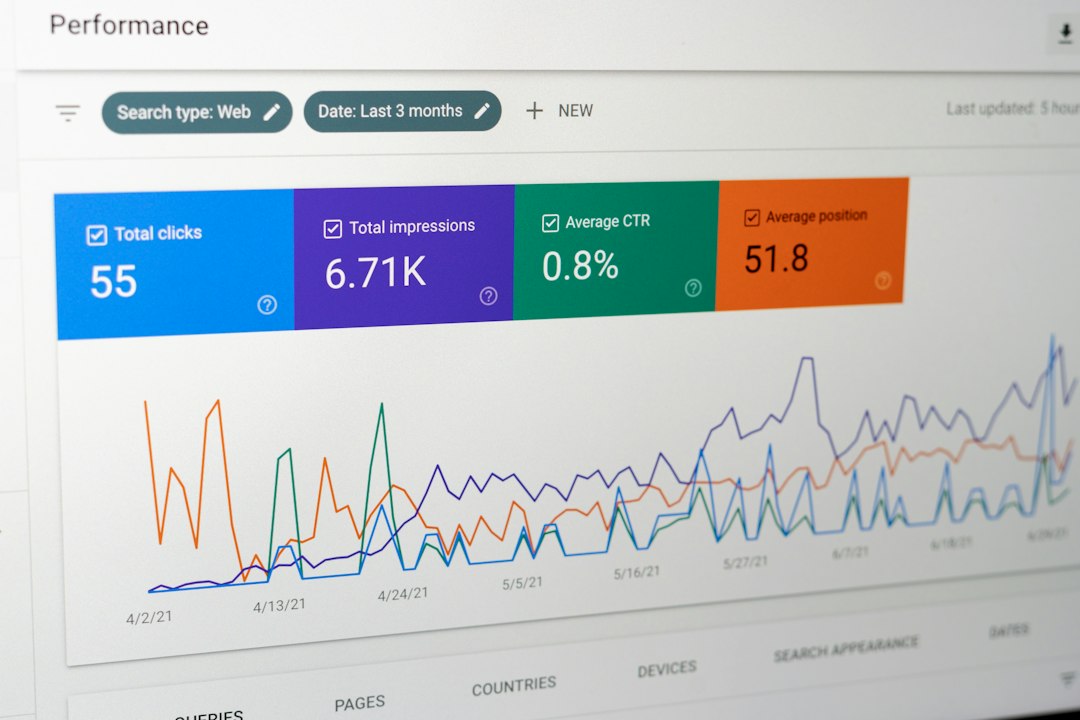
One of the most painful replatforming mistakes is treating SEO as an afterthought. Search visibility can drop sharply if URL structures change without redirects, metadata disappears, internal links break, or page speed suffers. A beautiful new site with reduced organic traffic is not a successful launch.
Effective SEO migration includes creating a full URL map, prioritizing high-traffic pages, setting up 301 redirects, preserving optimized titles and descriptions, checking canonical tags, updating XML sitemaps, and monitoring crawl errors immediately after launch. Teams should also benchmark rankings and organic revenue before migration so they can identify problems quickly.
In successful projects, SEO specialists are involved early. They review design templates, navigation structures, content plans, and redirect logic before development is complete. This prevents last-minute fixes and protects one of the most valuable traffic channels.
Lesson 4: Integrations Can Make or Break the Project
An e-commerce platform rarely works alone. It connects to payment gateways, ERP systems, warehouse tools, shipping providers, email marketing platforms, customer service software, loyalty programs, tax engines, analytics suites, and marketplaces. During migration, every integration must be reviewed, rebuilt, replaced, or retired.
The fashion retailer initially assumed its inventory integration would be straightforward. During discovery, the team realized the legacy workflow updated stock only every two hours, which caused overselling during flash sales. Instead of recreating that weakness, the migration team implemented near real-time inventory synchronization. The result was fewer canceled orders and better customer trust.
This is a key replatforming principle: do not blindly rebuild broken processes. Migration is an opportunity to redesign workflows that quietly cost money or frustrate teams.
Lesson 5: Customer Experience Should Guide Technical Decisions
Platform migrations often become intensely technical, but customers judge the result through simple experiences: Can they find products? Do pages load quickly? Is checkout easy? Are delivery costs clear? Can they return items without confusion?
Successful teams review the full customer journey before designing the new site. They identify friction points such as confusing navigation, weak product filters, hidden shipping information, forced account creation, or too many checkout steps. Then they use the new platform to remove those obstacles.
For the retailer, the redesigned mobile product page became one of the biggest wins. Size availability, delivery estimates, reviews, and return information were moved closer to the add-to-cart button. The checkout was reduced from five steps to two. These changes did not require flashy innovation; they simply made buying easier.
Lesson 6: Test Like Revenue Depends on It
Because it does. Testing is where migration confidence is built. A strong testing plan covers functionality, performance, integrations, data accuracy, security, analytics, and user acceptance. It should include both predictable scenarios and edge cases.
Important test scenarios include:
- Placing orders with different payment methods and shipping options.
- Testing discounts, gift cards, loyalty points, taxes, and refunds.
- Checking product variants, inventory updates, and out-of-stock behavior.
- Verifying customer account creation, password reset, and order history.
- Confirming analytics events, conversion tracking, and marketing pixels.
- Load testing during expected peak traffic periods.
In the case study, the team ran a soft launch internally before opening the site to all customers. Employees were encouraged to browse, search, test promotions, and report issues. This uncovered small but meaningful problems, including missing product images and incorrect shipping messages for certain regions.

Lesson 7: Plan the Launch Window Carefully
The timing of a migration matters. Launching right before a major campaign, holiday season, or inventory change increases risk. Most teams choose a lower-traffic period and prepare a detailed launch checklist. This includes database freezes, final data syncs, DNS changes, payment verification, redirect activation, and post-launch monitoring.
A rollback plan is also essential. Even if the goal is never to use it, knowing how to respond if something goes wrong reduces panic. Clear ownership matters too: one person should coordinate launch decisions, while specialists monitor orders, site speed, analytics, customer support tickets, and error logs.
Lesson 8: Migration Does Not End at Launch
Launch day is a milestone, not the finish line. The first few weeks after replatforming are critical for optimization. Teams should monitor conversion rates, bounce rates, checkout errors, search queries, page speed, organic traffic, customer complaints, and operational bottlenecks.
The fashion retailer created a 30-day stabilization plan. During that period, the team met daily for the first week and then twice weekly. They fixed small usability issues, improved search synonyms, adjusted merchandising rules, and refined email triggers. By the end of the first quarter, mobile conversion had increased, product publishing time had dropped significantly, and customer service tickets related to checkout confusion had declined.
Key Takeaways From Successful Replatforming
The strongest e-commerce migrations share a pattern. They are not rushed, they are not treated as simple design refreshes, and they are not owned by technology teams alone. They involve marketing, operations, finance, customer support, merchandising, developers, SEO specialists, and leadership.
To improve the odds of success, remember these principles:
- Define the business case first. Technology should support measurable goals.
- Clean data before migration. The new platform is only as good as the information inside it.
- Protect SEO from day one. Redirects, metadata, and site structure deserve careful planning.
- Review every integration. Rebuild only what still serves the business.
- Design around customer behavior. Better experiences usually produce better revenue.
- Test thoroughly. Assume small errors can become expensive at scale.
- Keep optimizing after launch. The best results often come from post-migration refinement.
Replatforming can feel daunting, but it is also one of the most valuable moments in an e-commerce company’s evolution. Done well, it modernizes operations, improves customer experience, and gives teams the flexibility to grow. The real lesson from successful projects is that migration is not just about switching platforms; it is about building a stronger foundation for the next stage of digital commerce.