

High-performance rendering has become a critical part of modern production, from animated films and architectural visualization to scientific simulation and AI-assisted design. Public cloud rendering is often the first option teams consider because it offers fast access to large compute resources, but it is not always the best fit. Cost volatility, data transfer limits, compliance concerns, and unpredictable queue times can push studios and engineering teams to look for cloud rendering alternatives that offer more control.
TLDR: Cloud rendering is powerful, but it is not the only way to handle demanding workloads. Alternatives such as on-premises render farms, hybrid infrastructure, colocation, and distributed workstations can provide better cost control, security, and performance consistency. The right choice depends on workload size, deadline pressure, data sensitivity, and how often rendering resources are needed.
Why Look Beyond Cloud Rendering?
Cloud rendering works well when workloads are occasional, elastic, or highly variable. A small studio can spin up hundreds of virtual machines for a deadline and shut them down afterward. However, once rendering becomes a daily requirement, the economics can change dramatically.
Cloud costs are not limited to compute hours. Teams may also pay for storage, bandwidth, software licensing, priority access, and data egress. For projects involving terabytes of textures, simulations, geometry caches, or 8K frames, moving data to and from the cloud can become a bottleneck. In industries such as healthcare, defense, manufacturing, and finance, regulatory requirements may also restrict where data can be processed.
For high-performance workloads, the goal is not simply to render faster. It is to render predictably, securely, and economically at scale.
1. On-Premises Render Farms
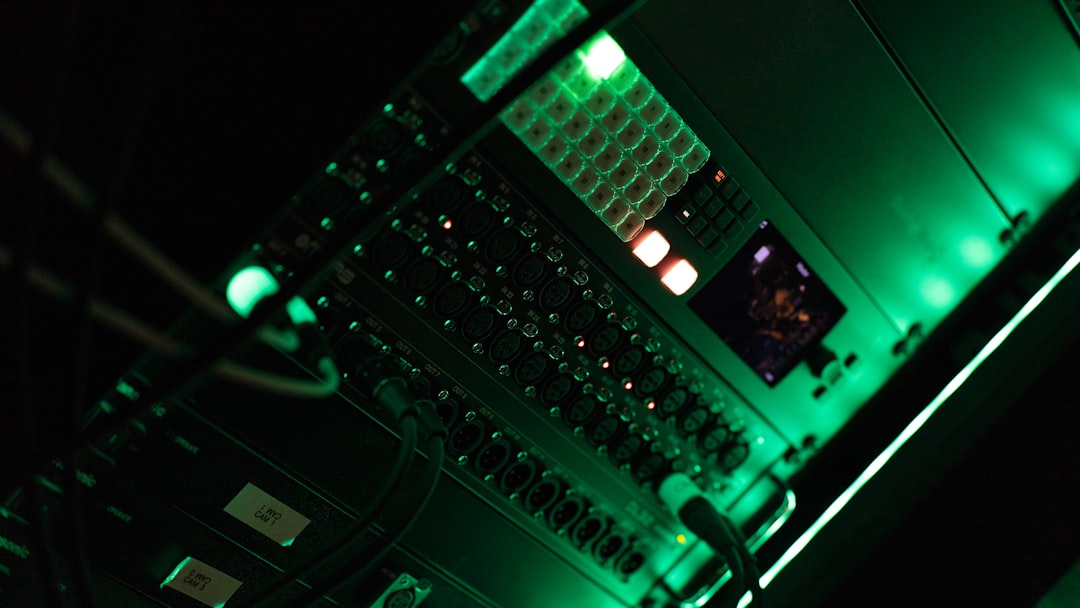
An on-premises render farm is the traditional alternative to cloud rendering. It consists of dedicated servers, workstations, or GPU nodes located within an organization’s own facility. These machines are managed internally and assigned rendering tasks through queue management software.
The biggest advantage is control. Hardware, storage, networking, security policies, and software versions can be tuned for the specific pipeline. A visual effects studio using GPU-heavy renderers can invest in dense GPU nodes, while an engineering team running CPU-based simulations can prioritize high-core-count processors and large memory capacity.
Best suited for:
- Studios with continuous rendering demand
- Organizations handling sensitive or regulated data
- Teams that need consistent performance and predictable availability
- Workloads with large datasets that are costly to move off-site
The main drawback is the upfront investment. Hardware, cooling, power, networking, maintenance, and IT staff all add cost. There is also the risk of overprovisioning. If the farm is sized for peak demand but sits idle between projects, capital is wasted. Still, for teams rendering every day, on-premises infrastructure can deliver a lower long-term cost per frame than cloud platforms.
2. Hybrid Rendering Infrastructure
A hybrid approach combines local resources with external compute capacity. Teams use in-house machines for baseline rendering and burst to outside infrastructure when deadlines tighten. This model offers a practical middle ground: predictable daily capacity without sacrificing scalability.
For example, an animation studio might render previews and standard production frames on its internal farm, then use external GPU servers for final-frame rendering during crunch periods. An architecture firm might keep active design files on local storage but use remote compute nodes for high-resolution marketing images.
Hybrid systems work best when pipelines are designed with portability in mind. Asset paths, software versions, plugins, render engines, and licensing must be synchronized across environments. Without careful management, hybrid rendering can create frustrating inconsistencies, where frames rendered in one location look slightly different from those rendered elsewhere.
The key benefit of hybrid rendering is flexibility without complete dependence on the public cloud.
3. Colocation Facilities
Colocation is another strong alternative for high-performance workloads. Instead of keeping servers in an office or studio, companies place their own hardware in a professional data center. The organization owns the equipment, while the colocation provider supplies power, cooling, rack space, physical security, and high-speed connectivity.
This approach is attractive when local facilities cannot support dense compute hardware. Modern GPU servers generate significant heat and require reliable electrical capacity. A standard office server closet is rarely suitable for a large rendering cluster. Colocation provides data-center-grade infrastructure without forcing companies to use shared cloud instances.
Colocation can also improve connectivity between offices, remote artists, and production partners. With the right network setup, teams can access centralized render resources from multiple locations while keeping ownership of the hardware and data.
Potential challenges include:
- Hardware procurement and lifecycle management
- Remote troubleshooting when components fail
- Monthly rack, power, and bandwidth fees
- Planning for future expansion
For organizations that want performance similar to an internal render farm but with better infrastructure reliability, colocation can be a compelling option.
4. Distributed Workstation Rendering
Many studios already own significant compute power in the form of artist workstations. During the day, these machines are used for modeling, animation, editing, compositing, or design. At night or during idle periods, they can become part of a distributed rendering network.
This approach can be surprisingly effective. A studio with 50 high-end workstations may already have hundreds of CPU cores and multiple GPUs available after working hours. Queue management tools can distribute frames or tiles across these machines and pause rendering when users return.
The advantage is cost efficiency. Instead of buying a separate render farm immediately, teams maximize the value of existing hardware. Distributed rendering is especially useful for small and midsize teams that have growing workloads but limited infrastructure budgets.
However, it requires discipline. Workstations must remain compatible, software must be updated consistently, and network storage must handle many machines reading assets simultaneously. There is also a practical limit: workstations are not designed for the same sustained workload, redundancy, or density as dedicated render servers.
5. Dedicated GPU and Bare Metal Providers
Not all remote rendering has to happen on conventional cloud platforms. Bare metal servers and dedicated GPU hosting providers offer physical machines rented by the month, week, or sometimes by the hour. Unlike shared cloud instances, these servers are not virtualized across multiple customers in the same way, which can provide more predictable performance.
This model is useful for workloads that need sustained access to powerful hardware but do not justify purchasing it outright. Teams can rent servers equipped with high-end GPUs, large memory pools, and fast local storage. For rendering, simulation, video processing, and machine learning workloads, bare metal can offer a strong balance between performance and flexibility.
Dedicated hosting also avoids some of the “noisy neighbor” issues associated with virtualized environments. Since the hardware is reserved, performance is often more consistent across long render jobs.
6. Edge and Regional Compute
For globally distributed teams, latency matters. Moving massive production files across continents can slow collaboration and increase storage complexity. Edge compute and regional rendering clusters place processing power closer to artists, engineers, or data sources.
This model is particularly relevant for real-time visualization, virtual production, and interactive rendering. If a designer in Tokyo, a director in Los Angeles, and a visualization team in London are collaborating, regional compute nodes can reduce delays and keep assets closer to where they are used.

Edge rendering is not always a replacement for large centralized farms, but it can complement them. It is especially valuable when workloads involve collaboration, review sessions, or interactive previews rather than only offline batch rendering.
How to Choose the Right Alternative
The best solution depends on how your organization works. Before investing in any infrastructure, evaluate the workload honestly. Rendering a few large projects per year is very different from rendering thousands of frames every day.
Important questions to ask include:
- How often do we need peak rendering capacity?
- Are workloads CPU-bound, GPU-bound, or memory-intensive?
- How large are the assets and caches?
- Can data leave our facility or region?
- Do we have internal IT expertise?
- Is predictable cost more important than instant scalability?
A continuous workload often favors on-premises, colocation, or dedicated servers. An unpredictable workload may favor hybrid infrastructure. A team with many underused workstations may benefit from distributed rendering before making larger investments.
The Future Is Flexible
The most advanced rendering pipelines are increasingly infrastructure-agnostic. They are built to move jobs intelligently between local machines, private clusters, rented servers, and cloud resources as conditions change. This flexibility allows teams to optimize for cost, speed, security, and availability on a project-by-project basis.
Cloud rendering will remain an important tool, but it is not a universal answer. For high-performance workloads, alternatives can provide better control, more predictable performance, and stronger long-term economics. The smartest strategy is not to choose cloud or non-cloud as a fixed ideology, but to build a rendering ecosystem that matches the realities of your work.
In the end, rendering infrastructure should support creativity and productivity, not constrain them. Whether through an in-house farm, a colocation rack, distributed workstations, or dedicated GPU servers, the right alternative can turn heavy workloads into a reliable competitive advantage.