
First impressions matter—especially for electricians who want to attract new clients and showcase their professionalism. While word of mouth and hands-on skills are essential, a well-designed business card can be the silent salesperson that keeps your name in someone’s wallet or pinned on a cork board. In today’s digital age, there are countless tools that make creating sleek, customized business cards easy, fast, and affordable, even without a background in graphic design.
TLDR
Electricians looking to create eye-catching business cards have several excellent design tools at their disposal. Options like Canva and Adobe Express offer user-friendly experiences with lots of templates tailored to tradespeople. For more advanced customization, tools like Adobe Illustrator shine, while services like Vistaprint allow for professional printing and design guidance. This article reviews the top tools, highlighting their strengths to help electricians choose the best platform for their branding needs.
Why Electricians Need High-Quality Business Cards
Business cards may seem old-fashioned, but they remain a critical piece of marketing real estate. For electricians, a good business card serves multiple purposes:
- Instant credibility: A professional design builds trust and shows that you mean business.
- Contact convenience: Not everyone wants to save a number in their phone right away; business cards make connecting smoother.
- Marketing magnet: A creative card can make your services unforgettable and differentiate you from competitors.
1. Canva – The All-Around Champion
If you’re looking for simplicity combined with versatility, Canva is one of the best tools available. It’s a web-based platform that allows users to make professional-looking designs quickly and easily—even with zero experience.
Key Features:
- Free and premium templates specifically for electricians and other trades
- Drag-and-drop interface
- Access to millions of icons, fonts, and stock images
- Download formats include PDF, JPG, and PNG
Canva also includes a printing service, so you can design and print your card all in one place. The free version offers ample features, but upgrading to Canva Pro unlocks better templates and branding tools.
2. Adobe Express – Power Meets Precision
Formerly known as Adobe Spark, Adobe Express is another user-friendly design tool that offers more control than some simpler platforms without overwhelming beginners. If you appreciate brand consistency and a wider creative ecosystem, Adobe Express is a strong contender.
Key Features:
- Professionally designed templates for electricians and contractors
- Integrated Adobe Fonts and Adobe Stock images
- Cloud sync and sharing across devices
- Easy export options for various formats
Adobe Express is ideal for electricians who want a balance of customization, ease-of-use, and integration with other Adobe tools like Photoshop or Illustrator.
3. Vistaprint – Ready, Set, Print
Unlike Canva and Adobe Express, which focus on design, Vistaprint is all about the complete business card experience—from design to printing and shipping. The platform offers customizable templates and printing services with multiple finish and paper options.
Key Features:
- Wide range of specialty paper types (e.g., matte, glossy, textured)
- Design services available for a fee
- Upload your design or build one using their editor
- Bulk ordering options with fast delivery
If you want a polish-finish result and minimal fuss, Vistaprint is the ideal one-stop solution. You can even request a free sample kit to compare paper types before ordering.
4. Adobe Illustrator – For the Perfectionist
Adobe Illustrator is a professional-grade design software used by graphic artists and marketing specialists. While there’s a steeper learning curve, experienced users—or those willing to invest in learning—can create stunning, fully customized business cards that reflect their unique brand identity.
Key Features:
- Unmatched control over design, colors, and layout
- Vector-based editing ensures crisp graphics at any size
- Adobe Brushes and Tools offer detailed customization
- Access to Adobe Cloud for project syncing and storage
This is the tool to use if you’re working with a designer, or if you’ve got an artistic streak yourself. Export your designs and print them through a local or online print shop.
5. Business Card Composer – Mac-Friendly Option
If you’re a Mac user and prefer a desktop application, Business Card Composer by BeLight Software is worth considering. Tailored for Apple devices, it provides a cohesive design experience through a straightforward interface optimized for macOS.
Key Features:
- Built-in templates geared towards small businesses and tradespeople
- Integration with Apple Contacts and Photos
- High-resolution export options for professional-quality prints
- Drag-and-drop layout designer
It’s particularly useful for electricians who want to combine business card creation with customer contact management via the Apple ecosystem.
6. Zazzle – Creativity with a Marketplace Twist
Zazzle offers hundreds of pre-made designs that you can easily customize and purchase. What sets Zazzle apart is its creative marketplace vibe—it gives you access to designs made by independent artists, many of whom specialized in trades and service-focused branding.
Key Features:
- Huge library of user-submitted templates
- Customization options for fonts, colors, and icons
- Printing and delivery handled directly by Zazzle
- Options to sell your own designs, if talented in design
Zazzle is a great match for electricians who want a unique or artistic card design that still communicates professionalism and trust.
7. Moo – Premium Touch for Upscale Branding
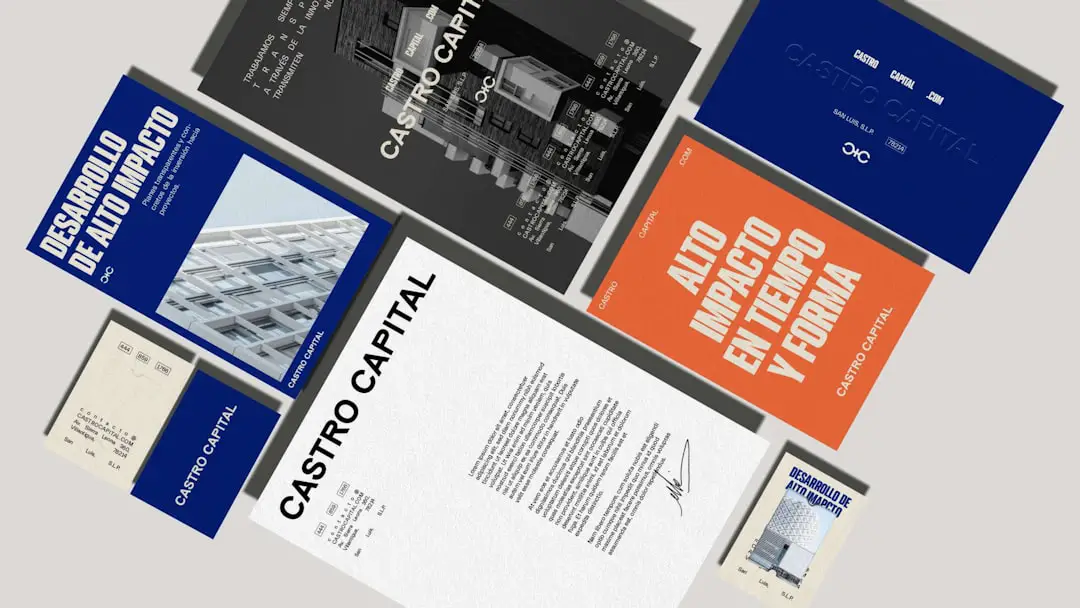
For electricians in high-end or specialized markets (e.g., smart home wiring, commercial installations), Moo raises the bar. While it’s more expensive than competitors like Vistaprint, Moo focuses on premium quality—thick cards, gold foil, rounded corners, and more.
Key Features:
- Luxurious paper stock and special finishes
- Double-sided print and multiple designs in one pack
- Design guidance available with paid services
- Online editor with easy-to-use interface
If you’re marketing yourself as a premium electrician, your business card design should reflect that. Moo helps you make that upscale impression with impeccable detail and quality.
Tips for Designing Effective Business Cards
No matter which tool you choose, follow these best practices to ensure your business card works for you:
- Use legible fonts: Keep text clear and readable.
- Include essential details: Name, business name, phone number, license number, email, website, and services offered.
- Keep the design simple: Avoid clutter—white space is your friend.
- Use brand colors: Consistent colors and logos help build recognition.
- Print high-quality: Choose heavy cardstock and consider a finish (matte or glossy).
Final Thoughts
Business cards for electricians are more than just a way to share contact details—they’re a representation of your craft, reliability, and business ethic. Whether you need an easy drag-and-drop interface like Canva, a high-end print job with Moo, or a deep-dive into custom illustration with Adobe Illustrator, there’s a tool for every need and budget. Investing a little time and thought into your business card can yield long-term rewards by helping you stand out in a crowded market.