
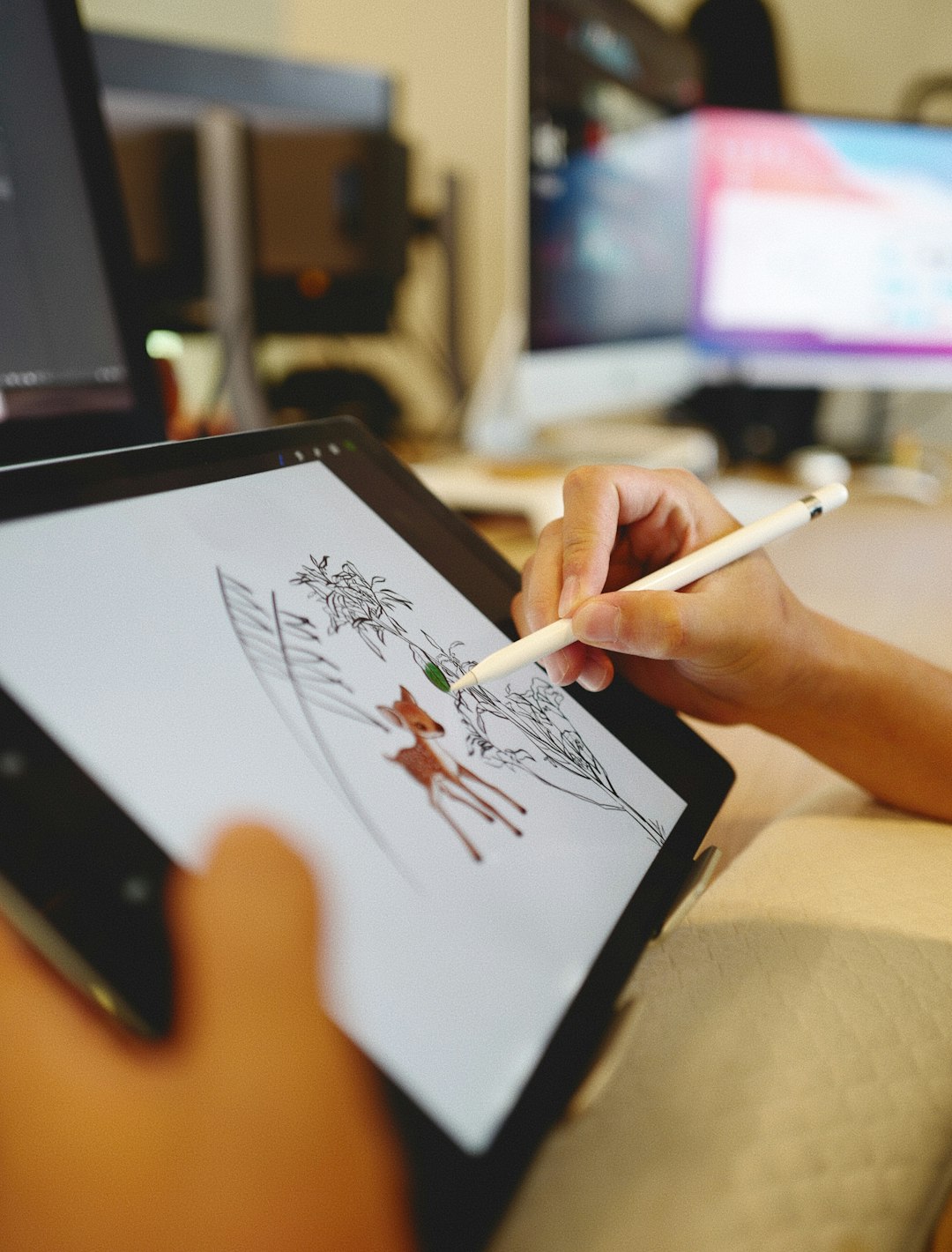
The world of animation has expanded far beyond the walls of professional studios. Thanks to the accessibility of powerful mobile and desktop applications, even the most novice creators can now transform simple stick figure sketches into cinematic masterpieces. The rise of animation video edit apps has sparked a creative revolution, empowering users to express their ideas like never before.
Gone are the days when animation required sprawling software knowledge or a team of skilled illustrators. Today’s animation apps merge intuitive interfaces with powerful animation tools, allowing hobbyists, students, educators, and even marketers to bring their stories to life. Whether it’s a stick figure leaping through lava pits or a character launching into space, these apps serve as the bridge between imagination and visual storytelling.
What is an Animation Video Edit App?
An animation video edit app is a software application designed to enable the creation, editing, and enhancement of animated videos. These apps often come with pre-built templates, character rigs, sound effects, and transitions specifically geared toward animation workflows.
What sets these platforms apart is their ability to take rudimentary drawings – often stick figures or basic shapes – and bring them to life using motion, timing, sound, and effects. These aren’t simply video editors with animation support; they are purpose-built for visual storytelling, no matter how elementary or advanced the graphics.
Image not found in postmetaKey Features to Look For
When choosing the best app to turn your stick figures into animation blockbusters, it’s essential to consider the features that can significantly enhance the creative process:
- Frame-by-Frame Animation: Ideal for traditional animators who enjoy controlling every movement with precision.
- Onion Skinning: Allows users to view previous and next frames for smoother motion planning.
- Rigging Tools: Great for creating skeletal frameworks, so characters move consistently across frames.
- Prebuilt Templates and Assets: Speeds up the creation process with pre-designed backgrounds, sound effects, and character models.
- Multimedia Support: Enables audio syncing, voiceovers, music, and special effects to enrich the storyline.
- Easy Export Options: Supports sharing on platforms like YouTube, TikTok, or directly saving to your device.
Many apps tailor their interfaces for mobile use, making animation on-the-go a reality. Whether it’s a 10-second meme or a detailed mini-film, creators have all the necessary tools at their fingertips.
Popular Animation Video Edit Apps
The animation app market has grown rapidly, with several standout options catering to different skill levels and needs. Here are some of the most popular:
1. FlipaClip
Designed with beginners in mind, FlipaClip is a frame-by-frame animation app trusted by millions. It’s perfect for doodlers who want to animate stick figures, yet powerful enough for more complex projects. Features like onion skinning, audio import, and intuitive drawing tools make it an entry-level favorite.
2. RoughAnimator
Geared toward more advanced users, RoughAnimator offers precise timing tools and a more professional setup for hand-drawn animation. It supports exporting to traditional video formats, GIFs, or even Adobe After Effects for further editing.
3. Stick Nodes
A stick figure animator’s paradise, Stick Nodes provides robust rigging capabilities for articulated stick figures. Animators can add particle effects, camera shakes, and easy tweening transitions, making it a favorite among action animation fans.
4. Animation Desk
This app strikes a balance between artistic expression and technical animation tools. It allows creatives to draw frame-by-frame using pencils, markers, and brushes digitally. It’s suitable for both storytelling and learning the animation basics.
From Idea to Animation – The Creative Process
So how does one turn a basic stick figure into a compelling character or a viral short film? Although every animator has their flow, the general process inside a video animation editing app typically follows these steps:
- Sketch Your Characters: Start with basic stick figures, either by freehand drawing or using built-in templates.
- Frame-by-Frame Animation: Add frames and tweak movements subtly to simulate realistic motion.
- Add Audio: Include voice overs, background music, or sound effects to enhance the atmosphere.
- Insert Effects: Utilize cinematic effects like explosions, fades, or camera zooms for drama and dynamics.
- Preview and Polish: Use real-time preview to tweak transitions and smooth out jerky animation frames.
- Export and Share: Finalize your animation and share it online or present it as part of a portfolio.
Benefits of Using Animation Video Edit Apps
Animation has long been viewed as a professional domain requiring expensive tools and complex training. These new-age apps level the playing field in several ways:
- Accessibility: Anyone with a phone or tablet can start animating.
- User-Friendliness: Streamlined interfaces make the learning curve approachable.
- Cost-Effective: Many of these apps are free or offer affordable premium features.
- Creative Freedom: Your imagination is the only limit, no matter your artistic skill level.
Whether it’s a high school student making a class presentation or an independent artist attempting a passion project, these apps provide the tools to turn simple sketches into stunning short films.
Animation in Education and Marketing
Beyond personal projects, animation video edit apps have also found significant use in education and digital marketing. Teachers now use animated shorts to explain complex subjects in an engaging way, while brands and influencers use animated content for product promotions, explainer videos, and social media campaigns. The power to tell stories through basic visuals enables communication that’s universal and unforgettable.

Applications like these have democratized content creation. They blend entertainment with education, improvisation with structure, and art with accessibility. While Hollywood-level animation can demand millions, these compact apps offer the magic within the palm of your hand.
Conclusion
The power of animation is no longer restricted to professionals or studios with bottomless budgets. With the right animation video edit app, even a clumsy stick figure can evoke emotion, deliver a punchline, or unravel a story that captivates audiences. These tools empower creators of all ages and backgrounds to test the limits of their imagination and bring compelling stories to life in motion. From sketches to blockbusters — it all begins with a tap, a swipe, and a little creative spark.
Frequently Asked Questions (FAQ)
- Q: Can I use these apps if I don’t know how to draw?
A: Yes! Many animation video edit apps offer pre-built characters, templates, or stick figures you can animate without needing advanced drawing skills. - Q: Are these apps suitable for kids?
A: Definitely. Many apps are designed with younger users in mind and have parental controls or guided tutorials to ensure a safe, educational experience. - Q: Do these apps support sound and music?
A: Most animation apps support audio input, sound effects, and music tracks, allowing for immersive storytelling. - Q: Can I export animations to social media?
A: Yes. These apps usually allow export in formats compatible with platforms like YouTube, Instagram, and TikTok. - Q: Which app is best for beginners?
A: FlipaClip and Stick Nodes are excellent choices for beginners thanks to their user-friendly interfaces and learning resources.