

AI avatars are no longer just for gamers and sci-fi fans. Small businesses now use them for social posts, profile photos, ads, videos, training clips, and customer support. The best part? You do not need a giant budget or a robot butler.
TLDR: If you need simple profile avatars, try Canva, Fotor, or Picsart. If you need talking video avatars, look at HeyGen, D-ID, or Vidnoz. For polished team headshots, Aragon AI is strong but costs more. Pick based on your goal, not the flashiest demo.
What Is an AI Avatar Generator?
An AI avatar generator creates a digital version of a person, character, or brand mascot. Some tools make static images. Think profile photos, cartoon faces, or stylish headshots. Other tools make talking avatars. These can read a script, explain a product, or welcome customers.
For a small business, this can save time and money. You may not need a photographer. You may not need a video studio. You may not even need to brush your hair. That is a win.
What Small Businesses Should Look For
Before picking a tool, ask a few simple questions:
- What do you need? A profile photo, a mascot, or a talking video?
- How often will you use it? Once a month or every day?
- Can you use it commercially? Always check the license.
- Is it easy? Your team should not need a spaceship manual.
- Does it look like your brand? Cute is good. On-brand is better.
Quick Comparison
| Tool | Best For | Budget Level | Ease |
|---|---|---|---|
| Canva | Simple avatars, social graphics, brand content | Low to medium | Very easy |
| Fotor | AI profile images and fun avatar styles | Low | Easy |
| Picsart | Creative avatars and quick social edits | Low to medium | Easy |
| Aragon AI | Professional headshots | Medium | Easy |
| HeyGen | Talking video avatars | Medium | Easy |
| D-ID | Photo to talking avatar videos | Medium | Easy |
| Vidnoz | Low-cost AI presenter videos | Low to medium | Easy |
Note: Prices change often. Always check current plans before you buy.
Canva: Best All-Rounder for Busy Teams
Canva is a favorite for small businesses because it does many things in one place. You can create avatars, social posts, flyers, ads, presentations, and more. It also has AI-powered design features that help you move fast.
It is not only an avatar tool. That is the point. If you need one platform for lots of basic marketing jobs, Canva is very useful.
- Best for: social media avatars, brand graphics, quick designs.
- Pros: easy to use, lots of templates, great for teams.
- Cons: less specialized than dedicated headshot or video tools.
Verdict: Great for small businesses that want simple, fast, and flexible design work.
Fotor: Best for Budget-Friendly Avatar Images
Fotor is good for making AI avatar images without fuss. You can try different styles, such as realistic, cartoon, fantasy, or business-like. It is handy if you want fresh profile pictures or fun content for posts.
It is simple enough for beginners. You upload images or use prompts, then pick the results you like. No art degree needed. No dramatic music required.
- Best for: low-cost profile avatars and creative looks.
- Pros: affordable, simple, many styles.
- Cons: results may need a few tries.
Verdict: A solid pick if your budget is tight and you need image avatars fast.
Picsart: Best for Fun Social Media Avatars
Picsart is playful. It is built for quick edits, bold visuals, and social content. If your brand is colorful, casual, or creative, it can be a great fit.
You can make avatars and then add stickers, text, filters, and backgrounds. This makes it useful for campaigns, announcements, or “meet the team” posts.

- Best for: fun avatars and eye-catching posts.
- Pros: creative tools, mobile friendly, fast editing.
- Cons: may feel too casual for formal brands.
Verdict: Best for brands that want energy, color, and personality.
Aragon AI: Best for Professional Headshots
Aragon AI focuses on AI headshots. This is useful for consultants, real estate agents, coaches, founders, and remote teams. You upload real photos, and it creates polished headshot options.
This can be cheaper than booking a photographer for a whole team. It can also be faster. But it costs more than basic avatar apps.
- Best for: LinkedIn photos, website team pages, professional profiles.
- Pros: polished results, business-focused, time saving.
- Cons: not ideal for cartoons or brand mascots.
Verdict: Worth it if looking professional is part of your sales pitch.
HeyGen: Best for Talking Avatar Videos
HeyGen lets you create presenter-style videos with AI avatars. You type a script, choose an avatar, and generate a video. It is great for product explainers, onboarding, FAQs, and short lessons.
The videos can look polished. This helps if you do not want to be on camera. Or if your camera face says, “I need coffee.”
- Best for: marketing videos, training, product demos.
- Pros: strong video quality, many avatars, voice options.
- Cons: can cost more if you make many videos.
Verdict: A strong choice for businesses that need regular video content.
D-ID: Best for Turning Photos Into Talking Avatars
D-ID is known for animating faces from photos. You can use an image and make it speak. This is useful for simple support videos, greetings, or interactive-style content.
It can feel a little magical. It can also feel a little uncanny if the photo is not right. Test before you publish.
- Best for: talking photos and quick avatar clips.
- Pros: easy, creative, good for short videos.
- Cons: realism can vary.
Verdict: Great for experiments and short talking avatar content.
Vidnoz: Best for Low-Cost AI Presenter Videos
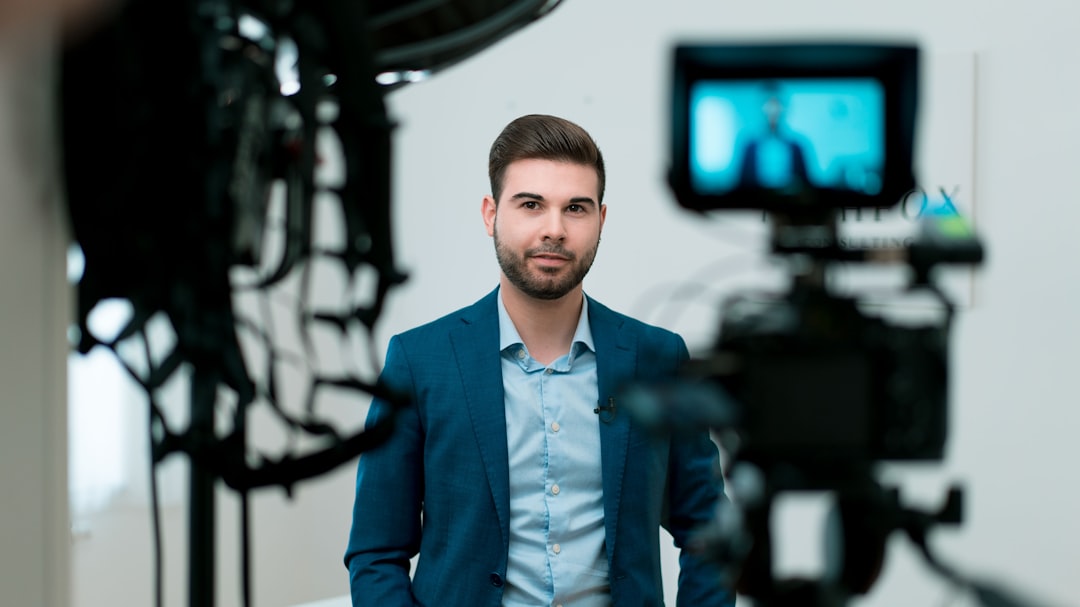
Vidnoz offers AI video avatar tools with a budget-friendly feel. It often appeals to small businesses that want presenter videos without high monthly costs.
It includes templates, avatars, and voices. This makes it useful for sales messages, training clips, and simple ads.
- Best for: affordable AI presenter videos.
- Pros: good value, many templates, beginner friendly.
- Cons: premium tools may offer more polish.
Verdict: A smart starter option for video avatars on a smaller budget.
Which One Should You Choose?
Here is the simple answer:
- Choose Canva if you want an all-in-one design tool.
- Choose Fotor if you want affordable avatar images.
- Choose Picsart if your brand loves fun social content.
- Choose Aragon AI if you need professional headshots.
- Choose HeyGen if you want polished talking avatar videos.
- Choose D-ID if you want to animate photos.
- Choose Vidnoz if you want budget-friendly AI presenter videos.
Final Thoughts
AI avatar tools can help small businesses look bigger, faster, and more polished. But do not chase shiny features just because they sparkle. Start with your goal. Then pick the tool that solves that problem.
If you need profile images, keep it simple. If you need videos, test a few scripts first. If you need trust, choose a more professional style. Your avatar should feel like your brand, not like a random wizard from the internet.
Best overall for most small businesses: Canva. Best for headshots: Aragon AI. Best for talking videos: HeyGen. Best budget video option: Vidnoz. Tiny team, big personality. That is the sweet spot.