
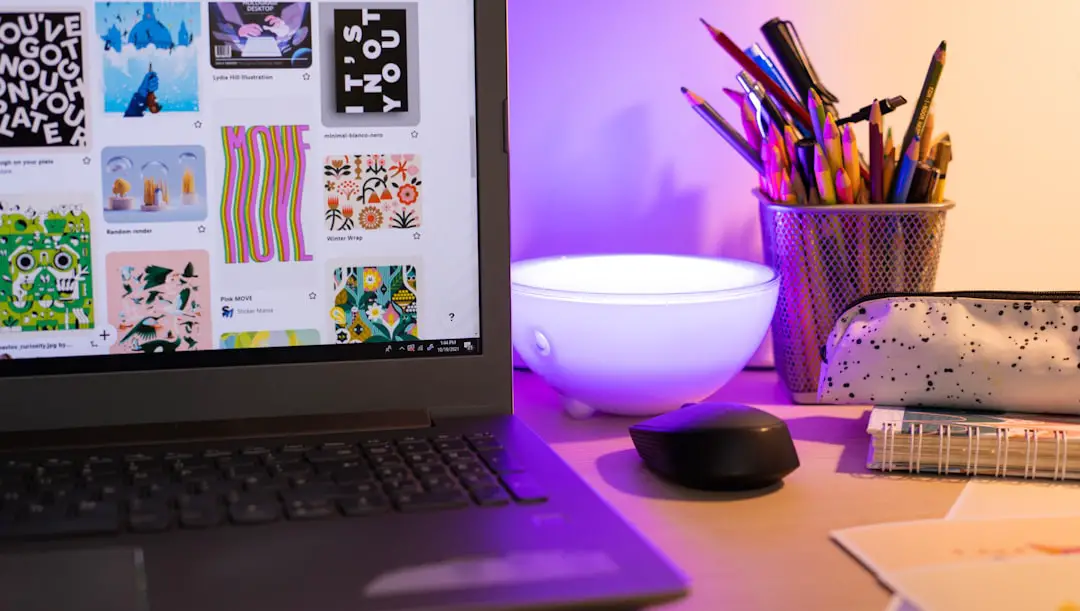
Creating eye-catching marketing materials used to require a full design team and expensive software. Not anymore. Today, anyone can design social posts, flyers, presentations, and ads with just a browser and a good idea. Canva is a popular choice. But it is not the only one. If you want more features, different pricing, or a fresh creative vibe, you have options. Lots of them.
TLDR: Canva is great, but many other tools can help you create professional marketing materials. Some focus on teamwork. Others shine in branding, animation, or advanced design control. This guide covers 14 Canva alternatives, explains what makes each special, and includes a simple comparison chart to help you choose fast. Pick the one that matches your workflow and budget.
Let’s explore.
1. Adobe Express
Best for: Quick, polished designs with Adobe power
Adobe Express (formerly Adobe Spark) is simple but powerful. It feels beginner-friendly. Yet it connects to Adobe’s big creative ecosystem.
- Thousands of modern templates
- Easy drag and drop editor
- Access to Adobe Fonts and stock images
- Great for branding consistency
If you already use Photoshop or Illustrator, this fits right in.

2. Visme
Best for: Presentations and infographics
Visme shines when data meets design. It is perfect for marketers who love charts and visual storytelling.
- Interactive presentations
- Animated infographics
- Data widgets and charts
- Brand kit features
If you create reports, case studies, or webinars, Visme is a strong pick.
3. Crello (VistaCreate)
Best for: Social media content
VistaCreate looks and feels similar to Canva. But it puts extra focus on social animation.
- 50,000+ templates
- Animated posts and stories
- Simple resizing tool
- Background remover
It is ideal for busy social media managers.
4. Snappa
Best for: Fast graphics without overwhelm
Snappa keeps things simple. Very simple. The interface is clean. No clutter. No learning curve.
- Pre-sized social templates
- Royalty free stock photos
- Quick editing tools
- Team collaboration
If you want speed, choose Snappa.
5. Piktochart
Best for: Infographics and reports
Piktochart focuses on visual storytelling. It helps turn complex information into easy visuals.
- Infographic-first approach
- Report and proposal templates
- Custom charts
- Brand asset storage
It is popular with educators and corporate teams.
6. Easil
Best for: Brand control
Easil is made for teams. It locks design elements in place. That means logos and fonts stay consistent.
- Brand kits
- Text effects and overlays
- Team permissions
- Template locking
Perfect for franchises and agencies.
7. Fotor
Best for: Design + photo editing combo
Fotor mixes graphic design and photo editing. Think filters, effects, and touch-ups.
- Photo retouching tools
- Design templates
- Collage maker
- AI image enhancement
If your marketing relies on photography, check it out.

8. RelayThat
Best for: Automatic brand consistency
RelayThat automates design layouts. Add your brand colors and logo. It creates consistent ads instantly.
- Auto resizing
- Brand syncing
- One click variations
- Ad focused design
It saves massive time for ad campaigns.
9. Design Wizard
Best for: Large template library
Design Wizard offers lots of templates and images. It is easy to use and beginner friendly.
- One million stock images
- Video editing options
- Custom color palettes
- Business focused graphics
A solid all-rounder.
10. BeFunky
Best for: Creative effects
BeFunky is playful. It offers artsy filters and design tools.
- Cartoonizer and digital art effects
- Collage builder
- Graphic templates
- Batch photo editing
Great for creative brands that want personality.
11. Stencil
Best for: Blog graphics
Stencil is lightweight and fast. Bloggers love it.
- Built-in social sharing
- Browser extension
- Simple quote graphics
- Stock photo integration
Perfect for content marketers.
12. PicMonkey
Best for: Advanced yet intuitive editing
PicMonkey balances power and simplicity.
- Strong photo editing tools
- Touch up features
- Templates for ads and posts
- Brand kits
It feels professional but not intimidating.
13. Venngage
Best for: Business infographics
Venngage is built for corporate communication.
- Professional infographic designs
- Data visualization tools
- Brand kit control
- Team collaboration
Excellent for HR teams and consultants.
14. Marq (formerly Lucidpress)
Best for: Brand templates and publishing
Marq focuses on structured branding.
- Locked templates
- Print ready layouts
- Team editing
- Brand asset management
If brand consistency is your obsession, try this.
Quick Comparison Chart
| Tool | Best For | Ease of Use | Team Features | Animation |
|---|---|---|---|---|
| Adobe Express | All purpose design | Easy | Yes | Basic |
| Visme | Presentations | Moderate | Yes | Yes |
| VistaCreate | Social media | Very Easy | Yes | Strong |
| Snappa | Quick graphics | Very Easy | Limited | No |
| Piktochart | Infographics | Moderate | Yes | Basic |
| Easil | Brand control | Moderate | Strong | Basic |
| Fotor | Photo editing | Easy | No | No |
| RelayThat | Ad automation | Very Easy | Yes | No |
| Design Wizard | Templates | Easy | Limited | Yes |
| BeFunky | Creative effects | Easy | No | No |
| Stencil | Blog images | Very Easy | No | No |
| PicMonkey | Photo plus design | Moderate | Yes | Basic |
| Venngage | Corporate infographics | Moderate | Yes | No |
| Marq | Brand publishing | Moderate | Strong | No |
How to Choose the Right One
Feeling overwhelmed? Keep it simple. Ask yourself a few questions:
- Do I design solo or with a team?
- Do I need strong branding tools?
- Will I create animations or just static posts?
- Is photo editing important?
- What is my monthly budget?
Your answers lead you to the right fit.

Final Thoughts
Canva may be the giant. But giants are not always perfect for everyone. Some tools focus on data. Others specialize in brand control. Some are built for bloggers. Others serve enterprise teams.
The good news? Most of these platforms offer free trials. You can test them. Click around. Play with templates. See what feels natural.
Great marketing is about clarity. And consistency. The tool you choose should make both easier.
Pick one. Start creating. And let your brand shine.